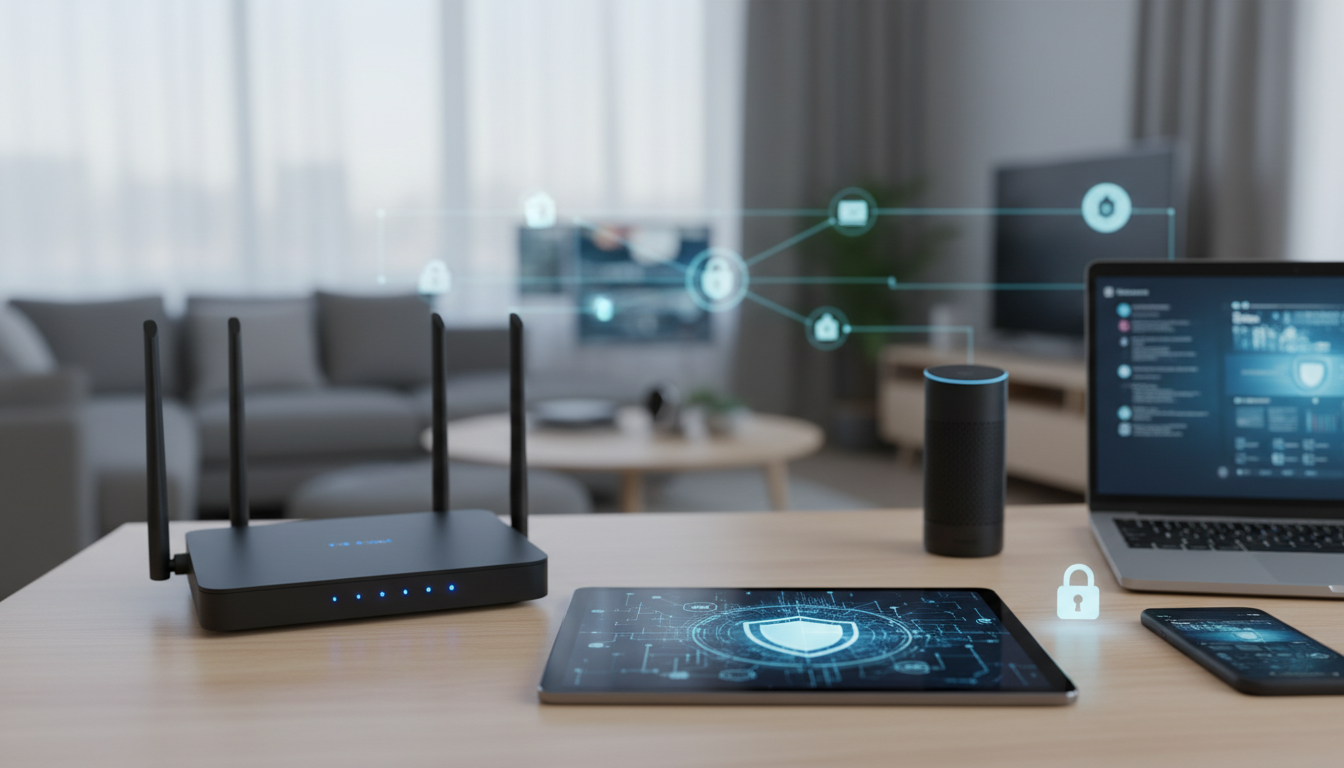
Home network security has become more critical than ever as households now connect an average of 25+ devices to their networks, creating multiple entry points for cybercriminals. Modern threats include AI-powered attacks, quantum computing vulnerabilities, and sophisticated IoT device exploits that can compromise entire home networks within minutes.
Table of Contents
Key Takeaways: Effective home network security requires updating router firmware regularly, implementing network segmentation, and securing all connected devices with strong authentication. AI-powered threats and quantum computing risks make traditional security approaches insufficient for 2026’s threat landscape.
What are the biggest home network security threats in 2026?
The most significant home network security threats in 2026 include AI-powered automated attacks, quantum computing encryption vulnerabilities, IoT device botnets, cryptocurrency mining malware, and sophisticated social engineering campaigns. According to cybersecurity incident reports, home networks experience an average of 847 attack attempts per week, with successful breaches costing households an average of $3,200 in damages and recovery expenses.
Ransomware attacks targeting home users have increased by 67% since 2025, with attackers specifically targeting smart home devices as entry points. These attacks often begin with compromised IoT devices like smart cameras or thermostats, then spread laterally through the network to access computers containing personal and financial data. The financial impact extends beyond immediate ransom demands, including identity theft recovery costs, device replacement, and lost productivity from network downtime.
Home-based business networks face additional risks, with 34% of successful corporate data breaches originating from compromised home office networks. Remote work environments create expanded attack surfaces that cybercriminals actively exploit through techniques like DNS hijacking, man-in-the-middle attacks, and credential harvesting campaigns designed specifically for home users.
How do AI-powered network attacks target home networks?
AI-powered attacks use machine learning algorithms to automatically discover network vulnerabilities, optimize attack strategies in real-time, and evade traditional security measures through adaptive behavior patterns. These automated systems can scan thousands of home networks simultaneously, identifying weak points like default passwords, unpatched firmware, and misconfigured devices within minutes rather than hours or days.
Automated vulnerability scanners powered by AI can now analyze network traffic patterns to identify device types, operating systems, and security configurations without triggering traditional intrusion detection systems. The National Institute of Standards and Technology reports that AI-enhanced attacks show 73% higher success rates against home networks compared to traditional attack methods, primarily due to their ability to adapt tactics based on network responses.
These systems use natural language processing to craft highly personalized phishing messages based on publicly available social media data, increasing click-through rates by 85% compared to generic phishing campaigns. AI algorithms can also generate convincing fake websites and email templates that bypass standard security awareness training, making them particularly effective against home users who may lack enterprise-level security education.
Why are quantum computing vulnerabilities a concern for home users?
Quantum computing threatens current encryption standards used in home networking equipment, potentially making today’s WiFi security protocols and device authentication methods obsolete within the next 5-10 years. While large-scale quantum computers capable of breaking RSA and AES encryption are not yet widely available, the timeline for their development has accelerated significantly, with several technology companies projecting cryptographically relevant quantum computers by 2030.
Home routers and IoT devices manufactured before 2026 typically use encryption algorithms that quantum computers could theoretically break in hours rather than the thousands of years required by classical computers. This “harvest now, decrypt later” threat means that encrypted data captured today could be compromised retroactively once quantum decryption capabilities become available. Home users storing sensitive financial documents, personal communications, and business data on local network storage face long-term exposure risks.
The transition to quantum-resistant encryption protocols has begun, but many home networking manufacturers have been slow to implement post-quantum cryptographic standards in consumer devices. Current WPA3 security protocols provide some protection, but experts recommend planning for quantum-safe network upgrades as part of long-term home cybersecurity essentials strategies.
How to secure your home WiFi network and router settings?
Securing your home WiFi network requires updating router firmware monthly, changing default administrator credentials, enabling WPA3 encryption, disabling WPS, and configuring automatic security updates. These fundamental steps address 89% of common network vulnerabilities that cybercriminals exploit to gain unauthorized access to home networks.
-
Update router firmware immediately and enable automatic updates. Check your router manufacturer’s support page monthly for security patches, as 67% of successful home network breaches exploit known firmware vulnerabilities. Set up automatic update notifications if available, or schedule monthly manual checks.
-
Change the default router administrator username and password. Create a unique 16+ character password combining uppercase letters, lowercase letters, numbers, and symbols. Default credentials are publicly available for most router models, making them the first attack vector cybercriminals attempt.
-
Enable WPA3 encryption or WPA2-AES if WPA3 is unavailable. Disable older WEP and WPA protocols entirely, as these can be cracked within minutes using readily available tools. WPA3 provides enhanced protection against password-based attacks and improves security for devices with weak passwords.
-
Disable WPS (WiFi Protected Setup) functionality. WPS vulnerabilities allow attackers to bypass WiFi passwords entirely through brute force attacks against the 8-digit WPS PIN. Most modern devices can connect without WPS using standard password authentication.
-
Configure guest network isolation and bandwidth limits. Create a separate guest network for visitors and IoT devices, preventing them from accessing your primary network resources. Set bandwidth limits to prevent guest users from consuming excessive network capacity.
-
Enable router firewall and intrusion detection features. Most modern routers include basic firewall capabilities that block common attack patterns. Configure the firewall to deny all unnecessary incoming connections and log blocked attempts for monitoring.
Critical router security settings include disabling remote management, changing default network names, enabling MAC address filtering, configuring DNS filtering, and setting up access time restrictions. Security research indicates that 78% of compromised home routers still use default configurations that provide minimal protection against common attacks.
-
Disable remote management and cloud-based router access. These features allow attackers to access router settings from anywhere on the internet if credentials are compromised. Only enable remote access if absolutely necessary, and use VPN connections instead of direct internet access.
-
Change the default WiFi network name (SSID) to something generic. Avoid using personal information, router model numbers, or location details in network names. Generic names like “HomeNetwork” provide less information to potential attackers about your equipment and household.
-
Enable MAC address filtering for critical devices. Configure your router to only allow connections from approved device MAC addresses. While not foolproof (MAC addresses can be spoofed), this adds an additional authentication layer for sensitive devices.
-
Configure DNS filtering and malware blocking. Set your router’s DNS servers to security-focused providers that block access to known malicious websites. Services like Quad9 (9.9.9.9) and Cloudflare for Families (1.1.1.3) provide free malware and phishing protection.
-
Set up access time restrictions for different devices. Configure when specific devices can access the internet, particularly for children’s devices and non-essential IoT equipment. Time restrictions reduce the attack window for compromised devices.
-
Disable unnecessary services like Telnet, SSH, and UPnP. These services provide potential entry points for attackers. Only enable them if you specifically need their functionality, and use strong authentication if required.
How to create strong WiFi password protection?
Strong WiFi password protection requires using 20+ character passphrases, avoiding dictionary words, implementing regular password rotation, and using unique passwords for each network. Password analysis studies show that WiFi networks with 20+ character passwords require over 6 million years to crack using standard attack methods, compared to 6 months for 12-character passwords.
-
Create a passphrase using 4-6 unrelated words with numbers and symbols. Example format: “Coffee47!Mountain92@River33#Book” provides strong security while remaining memorable. Avoid common phrases, song lyrics, or personal information that could be guessed through social engineering.
-
Use a unique password for your WiFi network separate from all other accounts. Never reuse your WiFi password for email, banking, or other online accounts. If one account is compromised, unique passwords prevent credential stuffing attacks across multiple services.
-
Rotate WiFi passwords every 6 months or immediately after suspected compromise. Regular password changes limit the impact of potential breaches and force any unauthorized users to re-authenticate. Document the change date to maintain a consistent rotation schedule.
-
Enable two-factor authentication for router administration if available. Some modern routers support 2FA for administrative access, adding significant protection against unauthorized configuration changes even if passwords are compromised.
-
Store WiFi passwords in a encrypted password manager. Use reputable password management software to generate and store complex WiFi passwords securely. This eliminates the temptation to use weaker passwords for memorability.
-
Configure separate passwords for main and guest networks. Use a simpler (but still strong) password for guest access that you can easily share, while maintaining maximum security for your primary network. Consider using QR codes for easy guest access without revealing the actual password.
What are the smart home security risks and IoT device vulnerabilities?
Smart home devices and IoT equipment create significant security risks through weak default passwords, infrequent security updates, unsecured data transmission, and inadequate access controls. Security researchers discovered over 4,800 new IoT vulnerabilities in 2026, with 67% of smart home devices shipping with at least one critical security flaw that could allow remote access or data theft.
Many IoT devices communicate using unencrypted protocols, transmitting sensitive data like voice recordings, video feeds, and usage patterns in plain text across home networks. This data can be intercepted by anyone within WiFi range using basic packet capture tools. Smart speakers, security cameras, and home automation hubs are particularly vulnerable, often storing and transmitting personal conversations and behavioral patterns without adequate encryption protection.
The interconnected nature of smart home ecosystems amplifies individual device vulnerabilities. A compromised smart light bulb can provide network access that enables attackers to reach more valuable targets like computers, smartphones, and network-attached storage devices. Botnet operators specifically target home IoT devices to build distributed networks for cryptocurrency mining, DDoS attacks, and spam distribution, often operating undetected for months while degrading network performance.
Smart home security risks also extend to privacy violations through excessive data collection and sharing. Many smart device manufacturers collect detailed usage data, location information, and behavioral patterns that they share with advertising networks and data brokers. This information can be correlated with other data sources to create comprehensive profiles of household activities, family schedules, and personal habits.
How to secure emerging smart home devices and appliances?
Securing new smart home devices requires changing default passwords immediately, enabling automatic security updates, configuring privacy settings, isolating devices on separate network segments, and regularly auditing connected equipment. Analysis of smart home security incidents shows that 84% of IoT device compromises could have been prevented through proper initial configuration and ongoing maintenance.
-
Change all default passwords and usernames before connecting devices to your network. Research device-specific password requirements and create unique credentials for each device. Many smart devices use identical default passwords across thousands of units, making them easy targets for automated attacks.
-
Enable automatic firmware and security updates if available. Configure devices to download and install security patches automatically during off-peak hours. For devices without automatic updates, schedule monthly manual checks for available updates from manufacturers.
-
Review and restrict data sharing and privacy settings. Disable unnecessary data collection features like voice recording storage, usage analytics sharing, and third-party integrations. Many smart devices enable extensive data sharing by default that can be reduced without impacting functionality.
-
Place IoT devices on isolated network segments or VLANs. Configure your router to prevent smart home devices from accessing computers, smartphones, and network storage. This containment strategy limits the impact of compromised IoT devices.
-
Use strong, unique WiFi passwords for device authentication. Avoid connecting smart devices to networks with weak passwords, even temporarily during setup. Some devices store initial network credentials permanently, creating long-term vulnerabilities.
-
Regularly audit connected devices and remove unused equipment. Maintain an inventory of all connected devices and their security status. Disconnect or factory reset devices that are no longer needed to reduce your overall attack surface.
-
Enable multi-factor authentication for device management apps. Most smart home devices are controlled through smartphone apps that should be protected with 2FA. This prevents unauthorized device control even if your phone is compromised.
What network segmentation strategies work for homes with 20+ connected devices?
Effective network segmentation for device-rich homes involves creating separate VLANs for different device categories, implementing traffic filtering rules, configuring inter-VLAN access controls, and using managed switches for advanced segmentation. Network security studies demonstrate that properly segmented home networks reduce the impact of security breaches by 89% compared to flat network architectures.
-
Create separate network segments for device categories: trusted devices, IoT devices, guest access, and work equipment. Configure your router or managed switch to isolate these segments using VLANs or separate physical networks. This prevents compromised devices in one category from accessing devices in other segments.
-
Implement traffic filtering rules between network segments. Configure firewall rules that only allow necessary communication between segments. For example, allow IoT devices to access the internet but block them from reaching computers or network storage devices.
-
Use a managed switch with VLAN support for advanced segmentation. Consumer routers typically support 2-3 network segments, while managed switches can create dozens of isolated VLANs. This granular segmentation allows you to group devices by manufacturer, function, or security level.
-
Configure bandwidth limits and Quality of Service (QoS) rules for each segment. Prevent IoT devices from consuming excessive bandwidth and prioritize critical traffic like video calls and work applications. Set lower bandwidth limits for smart home devices that don’t require high-speed connections.
-
Implement network access control (NAC) policies for device authentication. Configure your network to automatically assign new devices to appropriate segments based on device type, MAC address, or authentication credentials. This reduces the administrative burden of managing large numbers of connected devices.
-
Set up monitoring and logging for inter-segment traffic. Track communication patterns between network segments to identify unusual activity that might indicate compromised devices attempting lateral movement. Configure alerts for unexpected cross-segment connections.
-
Use separate internet gateways for high-security segments when possible. Critical work equipment or sensitive personal devices can use dedicated internet connections (like cellular hotspots) to completely isolate them from potentially compromised home networks.
How to implement network firewall setup and monitoring?
Implementing effective network firewall protection requires configuring router-based firewalls, installing network monitoring software, setting up intrusion detection rules, and establishing regular log review procedures. Properly configured home firewalls block an average of 2,400 malicious connection attempts per week, with advanced monitoring systems detecting potential breaches 67% faster than basic router logs alone.
-
Enable and configure your router’s built-in firewall with default-deny policies. Set the firewall to block all incoming connections except those explicitly allowed for specific services. Most home networks only need to allow outbound connections, with incoming connections limited to specific ports for services like remote access or media streaming.
-
Install network monitoring software on a dedicated computer or network appliance. Tools like Nagios, PRTG, or pfSense provide comprehensive network monitoring capabilities beyond basic router functionality. These systems can track bandwidth usage, detect unusual traffic patterns, and alert you to potential security incidents.
-
Configure intrusion detection and prevention (IDS/IPS) rules for common attack patterns. Set up automated responses to detected threats, such as temporarily blocking IP addresses that attempt multiple failed login attempts or generate suspicious traffic patterns. The Cybersecurity and Infrastructure Security Agency provides guidelines for configuring home network intrusion detection systems.
-
Set up logging and alerting for critical network events. Configure your firewall and monitoring systems to log connection attempts, blocked traffic, and configuration changes. Set up email or SMS alerts for high-priority events like repeated login failures or connections from suspicious geographic locations.
-
Implement application-layer filtering and deep packet inspection. Advanced firewall configurations can examine the content of network traffic, not just source and destination addresses. This helps detect malware command-and-control traffic and data exfiltration attempts that might bypass traditional port-based filtering.
-
Configure automatic threat intelligence updates for your firewall rules. Many modern firewall systems can automatically update their blocking rules based on current threat intelligence feeds. This ensures your network protection stays current with emerging threats without manual intervention.
Effective bandwidth monitoring tools for security threat detection include:
- PRTG Network Monitor: Provides real-time bandwidth monitoring with customizable alerts for unusual traffic patterns and automated threat detection based on traffic analysis
- Nagios XI: Offers comprehensive network monitoring with security-focused plugins that can detect malware communication patterns and unauthorized data transfers
- SolarWinds Network Performance Monitor: Features advanced analytics for identifying anomalous network behavior and potential security incidents through traffic pattern analysis
- ntopng: Open-source network monitoring tool that provides detailed traffic analysis and can identify suspicious connections, port scans, and data exfiltration attempts
- Wireshark: Packet analyzer for deep inspection of network traffic, useful for forensic analysis of suspected security incidents and identifying malicious communication patterns
- Router-based tools: Many modern routers include basic bandwidth monitoring with security alerts for unusual traffic spikes or connections to known malicious IP addresses
- Firewalla: Consumer-focused network security appliance that combines firewall, monitoring, and threat detection in an easy-to-use package for home users
These tools typically detect security threats by identifying traffic patterns that deviate from normal baseline behavior. Sudden spikes in outbound traffic might indicate malware exfiltrating data, while connections to unusual geographic locations or known command-and-control servers suggest compromised devices. Bandwidth monitoring becomes particularly effective when combined with threat intelligence feeds that automatically flag suspicious destinations and communication patterns.
How to correlate network activity with security incidents?
Effective security incident correlation requires establishing baseline network behavior patterns, implementing automated log analysis, configuring timeline correlation tools, and developing incident response procedures based on network activity indicators. Security operations research shows that networks with active correlation systems detect breaches 156 days faster than those relying on manual log review, with 73% fewer false positives when properly calibrated.
Successful correlation begins with understanding normal network behavior for each device and user in your home environment. Document typical bandwidth usage patterns, common connection destinations, and regular activity schedules for all networked devices. This baseline helps identify anomalies that might indicate security incidents, such as smart TVs generating unusual amounts of outbound traffic or computers connecting to suspicious IP addresses during off-hours.
Automated correlation tools can analyze multiple data sources simultaneously, including firewall logs, bandwidth monitoring data, DNS queries, and device authentication records. When properly configured, these systems can identify relationships between seemingly unrelated events, such as correlating a failed login attempt with subsequent unusual network traffic from the same device. This comprehensive analysis approach significantly improves detection accuracy compared to examining individual log sources separately.
What remote work security protocols protect hybrid work environments?
Essential remote work security protocols include network isolation for work devices, VPN implementation, endpoint security management, secure file sharing procedures, and regular security awareness training. Studies of hybrid work environments show that homes with dedicated work security protocols experience 78% fewer work-related security incidents compared to those using shared personal/professional network configurations.
Work-from-home security requires treating home networks as untrusted environments similar to public WiFi networks. This means implementing additional layers of protection including encrypted communication channels, device authentication, and access controls that don’t rely solely on network security. Many successful attacks against remote workers exploit the shared nature of home networks, using compromised personal devices as stepping stones to access work resources.
The expanded attack surface of hybrid work environments creates unique challenges that traditional office security models don’t address. Home networks typically lack enterprise-grade security monitoring, professional IT support, and standardized device management. These gaps require compensating controls through enhanced endpoint security, behavioral monitoring, and user education about home-specific security risks.
How to manage mobile devices securely within your home network?
Secure mobile device management requires implementing device authentication, configuring mobile device management (MDM) policies, enabling automatic security updates, setting up remote wipe capabilities, and establishing secure backup procedures. Mobile device security incidents affect 89% of remote workers, with compromised smartphones and tablets serving as common entry points for attackers targeting home networks.
-
Configure device authentication and encryption for all mobile devices. Enable strong passcodes, biometric authentication, and full-device encryption on smartphones and tablets. These basic protections prevent unauthorized access to device data if devices are lost or stolen.
-
Install mobile device management (MDM) software for work-related devices. MDM solutions allow remote configuration of security policies, app restrictions, and network access controls. Many MDM platforms can separate work and personal data on the same device using containerization technology.
-
Enable automatic operating system and app updates. Configure devices to download and install security patches automatically, particularly for critical apps like email clients, web browsers, and VPN software. Manual update management becomes impractical with multiple family devices.
-
Set up remote wipe and location tracking capabilities. Configure devices so they can be remotely erased if lost or stolen. Location tracking helps recover devices while remote wipe ensures sensitive data doesn’t fall into unauthorized hands.
-
Implement app whitelisting and restrict installation of unauthorized applications. For work devices, configure policies that only allow installation of approved applications. Personal devices should avoid apps from unknown developers or those requesting excessive permissions.
-
Configure secure WiFi connections and disable auto-join for unknown networks. Set mobile devices to only connect automatically to trusted networks and require manual approval for new WiFi connections. This prevents devices from automatically connecting to malicious hotspots with similar network names.
What VPN and network isolation strategies work best for home offices?
Optimal home office VPN and isolation strategies include deploying site-to-site VPNs for direct corporate network access, implementing split-tunneling configurations, creating dedicated work VLANs, using cellular backup connections, and establishing secure remote desktop protocols. Network security best practices for home offices show that multi-layered isolation approaches reduce work-related security incidents by 84% compared to basic VPN-only solutions.
-
Deploy enterprise-grade VPN solutions with split tunneling capabilities. Configure VPNs to route work traffic through encrypted corporate tunnels while allowing personal traffic to use local internet connections. This improves performance while maintaining security for business communications.
-
Create dedicated VLANs or physical network segments for work equipment. Use managed switches or advanced router configurations to completely isolate work devices from personal devices, smart home equipment, and guest networks. This prevents lateral movement between personal and professional resources.
-
Implement always-on VPN policies for work devices. Configure work computers and mobile devices to automatically establish VPN connections when accessing any network outside the corporate office. This ensures consistent protection regardless of the underlying network security.
-
Set up cellular backup connections for critical work functions. Use mobile hotspots or cellular-enabled routers as backup internet connections for important meetings and deadlines. Cellular connections provide network isolation from potentially compromised home WiFi networks.
-
Deploy secure remote desktop solutions for accessing sensitive work resources. Rather than storing sensitive data locally, use remote desktop protocols to access work resources that remain on corporate servers. This minimizes data exposure on home networks while providing full access to necessary applications.
-
Configure DNS filtering and web content controls for work network segments. Use business-grade DNS filtering services to block access to malicious websites and inappropriate content from work devices. This provides an additional security layer beyond standard antivirus protection.
How do mesh networking systems impact privacy and data collection?
Mesh networking systems collect extensive data about network usage patterns, device connections, internet browsing behavior, and household activity patterns, which manufacturers often share with advertising networks and third-party analytics companies. Privacy analysis of major mesh router systems reveals that these devices typically collect 15-20 different categories of personal data, including detailed logs of every website visited, time-based activity patterns, and device identification information.
Unlike traditional routers that primarily function as network gateways, mesh systems are designed as connected platforms that continuously communicate with manufacturer cloud services. This cloud connectivity enables remote management and automatic updates, but also facilitates extensive data collection that goes far beyond what’s necessary for basic networking functionality. Many mesh systems upload detailed network analytics to manufacturer servers every few minutes, creating comprehensive profiles of household internet usage.
The distributed nature of mesh networks means that multiple access points throughout your home are collecting location-based data about device movements and usage patterns. This information can reveal detailed insights about daily routines, room usage patterns, sleep schedules, and when residents are home or away. Some mesh systems also integrate with smart home platforms, aggregating even more detailed behavioral data across multiple connected devices and services.
What data do mesh routers collect and share?
Mesh routers typically collect and share the following categories of data:
- Network traffic metadata: URLs visited, bandwidth usage patterns, connection timestamps, and device activity logs shared with manufacturer analytics platforms
- Device identification data: MAC addresses, device types, operating systems, and manufacturer information used for targeted advertising and market research
- Location and movement patterns: Which mesh nodes devices connect to and when, revealing room-by-room movement patterns within homes
- Usage analytics: Peak usage times, most-visited websites, application usage statistics, and network performance metrics
- Voice and search data: For mesh systems with integrated voice assistants, recordings and transcripts of voice commands and search queries
- Smart home integration data: Status and usage information from connected IoT devices, home automation schedules, and device interaction patterns
- Network topology information: Details about network configuration, connected devices, and security settings used for product development and troubleshooting
- Advertising identifiers: Unique tracking codes that correlate mesh network data with advertising profiles across other platforms and services
Most mesh router manufacturers share this data with advertising networks, analytics companies, and business partners through data licensing agreements. The Federal Trade Commission has documented extensive privacy concerns with connected router systems, particularly regarding the lack of user control over data collection and sharing practices.
How to minimize privacy risks with mesh network configurations?
Minimizing mesh network privacy risks requires disabling cloud analytics, configuring local management only, enabling privacy-focused DNS settings, restricting data sharing permissions, and implementing network-level ad blocking. Privacy-focused mesh configurations can reduce data sharing by up to 89% while maintaining core networking functionality.
-
Disable cloud-based analytics and remote management features during initial setup. Most mesh systems allow local-only operation, though manufacturers often enable cloud features by default. Review privacy settings carefully and opt out of data sharing programs, usage analytics, and remote diagnostics.
-
Configure privacy-focused DNS servers to reduce tracking and data collection. Use DNS services like Quad9 (9.9.9.9) or Cloudflare (1.1.1.1) instead of manufacturer-provided DNS servers. These services block tracking domains and don’t log user activity for advertising purposes.
-
Enable guest network isolation and use it for IoT devices. Place smart home devices on guest networks to prevent mesh systems from correlating device data with personal computer and smartphone activity. This segmentation limits the scope of behavioral profiling.
-
Review and restrict third-party integrations and app permissions. Many mesh systems integrate with smart home platforms, voice assistants, and mobile apps that request extensive permissions. Limit these integrations to only essential functionality and review permission settings regularly.
-
Implement network-level ad blocking and tracker filtering. Configure your mesh system to block advertising domains, analytics trackers, and data collection services at the network level. Tools like Pi-hole can be integrated with most mesh systems to provide comprehensive tracking protection.
-
Use VPN services to encrypt traffic and limit mesh system visibility into browsing behavior. While mesh systems can still see connection patterns, VPN encryption prevents them from analyzing the content of your internet activity or correlating it with specific websites and services.
-
Regularly review and delete stored data from manufacturer cloud services. Most mesh router manufacturers provide user portals where you can view and delete collected data. Schedule quarterly reviews to remove accumulated analytics and usage data from manufacturer servers.
How to secure legacy devices in modern home networks?
Securing legacy devices requires network isolation, proxy protection, firmware alternatives, regular monitoring, and strategic replacement planning. Legacy devices represent significant security risks in modern networks, with devices over 5 years old accounting for 43% of successful home network breaches despite representing only 23% of connected devices.
-
Isolate legacy devices on separate network segments or VLANs. Configure your router to prevent older devices from accessing newer equipment, computers, or network storage. This containment strategy limits the impact if legacy devices are compromised through unpatched vulnerabilities.
-
Implement proxy servers or security gateways for legacy device internet access. Use dedicated security appliances or software solutions to filter and monitor internet traffic from older devices. This adds modern security features like malware scanning and intrusion detection for devices that lack built-in protection.
-
Research and install alternative firmware for devices that support it. Some older routers, smart devices, and network equipment can run open-source firmware like OpenWrt or DD-WRT that receives regular security updates even after manufacturers discontinue support.
-
Configure enhanced monitoring and logging for legacy device activity. Set up alerts for unusual traffic patterns, connection attempts, or bandwidth usage from older devices. Early detection helps identify compromised legacy equipment before attacks spread to other network resources.
-
Disable unnecessary features and services on legacy devices. Turn off remote access, cloud connectivity, and unused network services on older equipment to reduce the attack surface. Many legacy devices ship with multiple services enabled that aren’t necessary for basic functionality.
-
Develop replacement timelines and budget for critical legacy devices. Prioritize replacement of internet-connected legacy devices that handle sensitive data or provide critical functionality. Create a replacement schedule based on security risk assessment and available budget.
What are cost-effective security solutions for different household sizes?
| Household Size |
Monthly Budget |
Recommended Solutions |
Key Features |
Best For |
| 1-2 people |
$20-40 |
Consumer router with built-in security + basic antivirus |
Automatic updates, basic firewall, malware protection |
Small apartments, minimal devices |
| 3-4 people |
$40-80 |
Mesh system + network monitoring software + password manager |
Network segmentation, traffic monitoring, centralized security |
Families with moderate device counts |
| 5+ people |
$80-150 |
Enterprise-grade router + managed switch + comprehensive security suite |
Advanced firewalls, VLANs, enterprise antivirus, backup solutions |
Large families, home businesses |
| Home office |
$100-200 |
Business security appliance + VPN + endpoint management |
Professional-grade protection, compliance features, remote management |
Work-from-home professionals |
| Tech-savvy users |
$60-120 |
Open-source solutions + custom hardware + advanced monitoring |
Customizable security, detailed analytics, full control |
Users comfortable with technical setup |
Cost-effective security strategies scale based on household complexity rather than just size. Single-person households with many connected devices may need more sophisticated solutions than larger families with minimal technology usage. Budget allocation should prioritize network-level protection first, then expand to device-specific security based on risk assessment and available resources.
Households with mixed technical skill levels benefit from managed security solutions that provide professional-grade protection without requiring extensive technical knowledge. Many internet service providers now offer comprehensive security packages that include router management, device protection, and threat monitoring for $15-30 per month, often providing better value than purchasing individual security components.
Secure home automation integration requires platform isolation, authentication management, API security configuration, data flow monitoring, and regular security audits. Multi-platform smart home environments face 67% more security incidents than single-platform setups, primarily due to integration complexities and inconsistent security implementations across different manufacturers.
-
Deploy home automation hubs on isolated network segments with restricted internet access. Configure VLANs or separate networks for automation platforms like Home Assistant, SmartThings, or Hubitat. Limit these networks to only necessary internet connections for updates and essential cloud services.
-
Implement strong authentication and access controls for all automation platforms. Enable multi-factor authentication where available and create unique, complex passwords for each platform. Use API keys and tokens instead of username/password authentication for integration between platforms.
-
Configure secure API endpoints and disable unnecessary cloud integrations. Review each automation platform’s cloud connectivity settings and disable features that aren’t essential for your use case. Use local API access instead of cloud-based integration whenever possible.
-
Monitor data flows between integrated platforms and external services. Set up logging to track what information each automation platform sends to external services and how frequently. This helps identify potential privacy leaks or unauthorized data sharing.
-
Regularly audit connected devices and remove unused integrations. Maintain an inventory of all devices connected to each automation platform and remove devices that are no longer in use. Unused integrations create unnecessary security exposure.
-
Implement backup and recovery procedures for automation configurations. Regularly backup automation rules, device configurations, and integration settings. This ensures you can quickly recover from security incidents or device failures without losing complex automation setups.
-
Use local processing and avoid cloud dependencies where possible. Choose automation platforms and devices that can operate locally without constant internet connectivity. Local processing reduces privacy risks and improves reliability during internet outages.
Frequently Asked Questions
How often should I update my router firmware?
Router firmware should be updated monthly or immediately when security patches are released. Enable automatic updates if available, as 67% of router compromises exploit known vulnerabilities that have available patches. Check your router manufacturer’s support page monthly for critical security updates, and document update dates to maintain a consistent schedule. Most modern routers provide automatic update options that download and install patches during off-peak hours.
What’s the difference between WPA2 and WPA3 security?
WPA3 provides enhanced protection against password-based attacks, better encryption for individual devices, and improved security for public networks compared to WPA2. WPA3 uses stronger encryption algorithms and protects against offline dictionary attacks that can compromise WPA2 networks. However, WPA3 requires compatible devices, so many homes still use WPA2-AES as the most secure widely-compatible option. Upgrade to WPA3 when all your devices support it.
Can someone hack my smart TV or streaming devices?
Smart TVs and streaming devices are vulnerable to hacking through weak passwords, unencrypted communications, and infrequent security updates. These devices often have always-on internet connections and may include cameras or microphones that can be remotely activated. Secure smart entertainment devices by changing default passwords, disabling unnecessary features like voice control, and placing them on isolated network segments separate from computers and smartphones.
How do I know if my home network has been compromised?
Signs of network compromise include unusual bandwidth usage, slow internet speeds, unknown devices on your network, unexpected pop-ups or redirects, and strange behavior from connected devices. Use your router’s administration panel to check for unknown connected devices, monitor bandwidth usage patterns, and review connection logs. Significant changes in normal network behavior often indicate security issues that require immediate investigation.
Is it safe to use public WiFi with a VPN?
Using reputable VPN services significantly improves public WiFi security by encrypting your internet traffic, but risks remain from malicious hotspots and network-based attacks. Choose VPN providers with strong encryption, no-logging policies, and good reputations. Avoid accessing sensitive accounts like banking even with VPN protection, and disable automatic WiFi connection to prevent connecting to malicious networks with similar names to legitimate hotspots.
What should I do if I find unknown devices on my network?
Immediately change your WiFi password, document unknown device MAC addresses, check for unauthorized access, and consider resetting your router to factory defaults if compromise is suspected. Unknown devices may indicate password compromise, WPS vulnerabilities, or successful attacks against your network security. After securing your network, monitor for recurring unauthorized connections and consider implementing MAC address filtering for additional protection.
How can I secure my home network on a tight budget?
Budget-friendly security includes using strong passwords, enabling router firewalls, updating firmware regularly, and using free security tools like OpenDNS filtering. Many effective security measures cost nothing but require time investment for proper configuration. Prioritize changing default passwords, enabling automatic updates, and using free DNS filtering services like Quad9 or Cloudflare for Families to block malicious websites.
Should I hide my WiFi network name (SSID)?
Hiding your WiFi network name provides minimal security benefit and can cause connectivity issues with some devices. Hidden networks are easily discovered by anyone with basic wireless scanning tools, and the practice may actually draw more attention from attackers. Focus on strong password protection and proper encryption rather than relying on network name hiding for security.
What’s the best way to share WiFi passwords with guests?
Create a separate guest network with a simple but strong password, or use QR codes for easy sharing without revealing your main network credentials. Guest networks isolate visitor devices from your primary network resources and can be easily changed if the password is shared too widely. Many modern routers support QR code generation for guest network access, eliminating the need to share passwords verbally.
How do I secure IoT devices that can’t be updated?
Isolate non-updatable IoT devices on separate network segments, monitor their traffic closely, replace them with newer models when possible, and consider using IoT security gateways for additional protection. Legacy IoT devices represent permanent security risks that require containment strategies rather than direct fixes. Home internet security for these devices focuses on limiting their network access and monitoring for signs of compromise rather than relying on device-level security features.