
Author: Spencer Caldwell, NBC-HWC, CHC

  • Cybersecurity Jobs: Your Complete 2026 Career Guide

    Cybersecurity Jobs: Your Complete 2026 Career Guide

    Table of Contents


    Key Takeaways: The cybersecurity industry offers over 3.5 million unfilled positions globally as of 2026, with entry-level salaries starting at $65,000 and senior roles exceeding $200,000 annually. Most positions now offer remote work flexibility, and you can enter the field through certifications, bootcamps, or career transitions from other tech disciplines.

    Cybersecurity jobs represent one of the fastest-growing and highest-paying career paths in technology, with organizations worldwide facing an unprecedented shortage of qualified professionals to protect their digital assets and infrastructure.

    Current State of Cybersecurity Employment

    The global cybersecurity workforce gap reached 3.5 million unfilled positions in 2026, creating exceptional opportunities for both newcomers and experienced professionals seeking career advancement. This shortage spans all industry sectors, from healthcare and finance to government and technology companies.

    The demand surge stems from several converging factors: increasing cyber threats, expanding digital transformation initiatives, and stricter regulatory compliance requirements. Organizations now prioritize cybersecurity as a business-critical function rather than an IT afterthought.

    Current market dynamics show particularly strong demand in cloud security, artificial intelligence security, and operational technology (OT) security roles. The U.S. Bureau of Labor Statistics projects 32% growth in information security analyst positions through 2032, significantly outpacing average job growth rates.

    Companies across industries actively recruit candidates with diverse backgrounds, recognizing that effective cybersecurity requires varied perspectives and skill sets. This openness creates pathways for professionals transitioning from other fields, recent graduates, and career changers.

    Key Takeaway: The cybersecurity talent shortage creates a seller’s market for job seekers, with employers offering competitive salaries, comprehensive benefits, and flexible work arrangements to attract qualified candidates.

    Entry-Level Cybersecurity Positions

    Entry level cybersecurity jobs typically require foundational knowledge in networking, operating systems, and security principles, with many employers prioritizing aptitude and willingness to learn over extensive experience. These positions serve as stepping stones to more specialized and senior roles.

    Common entry-level positions include:

    Security Operations Center (SOC) Analyst

    SOC analysts monitor security events, investigate alerts, and respond to potential threats. This role provides hands-on experience with security tools and incident response procedures. Most positions require basic networking knowledge and security awareness training.

    Junior Penetration Tester

    Junior penetration testers assist senior team members in identifying vulnerabilities through controlled security testing. These roles often appeal to candidates with programming backgrounds or those who enjoy problem-solving challenges.

    Cybersecurity Specialist

    General cybersecurity specialists support various security initiatives, including policy development, user training, and compliance activities. This broad role exposes newcomers to multiple cybersecurity disciplines.

    IT Security Assistant

    IT security assistants handle administrative tasks, documentation, and basic security implementations under senior staff supervision. These positions offer practical experience while building foundational knowledge.

    Entry level cybersecurity jobs entry level remote opportunities have expanded significantly, with approximately 60% of organizations now offering hybrid or fully remote arrangements for junior positions. This flexibility removes geographic barriers and opens opportunities regardless of location.

    Employers increasingly value candidates who demonstrate continuous learning through self-study, online courses, and hands-on practice with security tools. Building a home lab environment and documenting your learning journey can differentiate you from other entry-level candidates.

    Cybersecurity Salary Expectations

    Cybersecurity jobs salary ranges vary significantly based on role, experience, location, and industry, with entry-level positions starting around $65,000 and senior roles exceeding $200,000 annually. Geographic location remains a major factor, though remote work has somewhat normalized compensation across regions.

    Role Level Average Salary Range Common Positions
    Entry-Level $65,000 – $85,000 SOC Analyst, Security Assistant
    Mid-Level $85,000 – $130,000 Security Engineer, Incident Response
    Senior-Level $130,000 – $180,000 Security Architect, Lead Analyst
    Executive $180,000 – $300,000+ CISO, Security Director

    Specialized roles command premium salaries. Cloud security engineers average $145,000, while penetration testers earn between $95,000 and $160,000 depending on experience. Compliance specialists typically earn $75,000 to $120,000, reflecting the critical importance of regulatory adherence.

    Industry sector significantly impacts compensation. Financial services and technology companies typically offer the highest salaries, followed by healthcare and government contractors. Non-profit organizations and smaller businesses generally offer lower base salaries but may provide other benefits like flexible schedules or professional development opportunities.

    Bonus structures and equity compensation are becoming more common, particularly in technology companies and cybersecurity vendors. Annual bonuses can range from 10% to 25% of base salary for individual contributors, with higher percentages for management roles.

    Certifications directly impact earning potential. Professionals holding CISSP, CISM, or specialized cloud security certifications can command 15-25% salary premiums over those without credentials.

    Key Takeaway: Cybersecurity salaries continue rising due to talent scarcity, with remote work reducing geographic disparities and specialized skills commanding significant premiums.

    Remote Cybersecurity Opportunities

    Cybersecurity jobs entry level remote positions have become standard across the industry, with most organizations offering flexible work arrangements to attract and retain talent. The shift to distributed workforces accelerated during 2020-2021 and has permanently changed cybersecurity employment patterns.

    Remote cybersecurity roles span all experience levels and specializations:

    • Threat Intelligence Analysts research emerging threats and create actionable intelligence reports
    • Security Consultants provide strategic guidance to multiple clients remotely
    • Compliance Auditors conduct assessments and reviews through virtual collaboration
    • Incident Response Specialists coordinate breach response activities across distributed teams

    Remote work success in cybersecurity requires strong communication skills, self-discipline, and comfort with collaboration tools. Many teams use secure video conferencing, shared documentation platforms, and project management systems to maintain productivity and team cohesion.

    Some positions require hybrid arrangements due to hands-on requirements. Physical security assessments, data center work, and certain compliance activities may necessitate occasional on-site presence. However, these limitations affect fewer than 20% of cybersecurity roles.

    Remote cybersecurity professionals should invest in home office security, including dedicated work devices, secure internet connections, and proper workspace isolation. Many employers provide equipment stipends or fully furnished home office setups to ensure security standards.

    The global talent pool accessible through remote work has intensified competition but also created opportunities to work for prestigious organizations regardless of geographic location. This democratization benefits professionals in smaller markets while providing employers access to broader talent pools.

    Certification Pathways to Employment

    Cybersecurity jobs with certificate requirements have become more standardized, with industry-recognized credentials serving as reliable indicators of foundational knowledge and professional commitment. Certifications can substitute for experience requirements and demonstrate continuous learning dedication.

    Foundational certifications for career entry include:

    CompTIA Security+

    This entry-level certification covers essential security concepts, risk management, and basic technical skills. Many government contractors require Security+ for any cybersecurity role, making it valuable for federal employment opportunities.

    CompTIA Network+

    Networking knowledge forms the foundation of cybersecurity understanding. Network+ demonstrates competency in network infrastructure, protocols, and troubleshooting – skills essential for security analysis.

    (ISC)² Systems Security Certified Practitioner (SSCP)

    SSCP provides broad cybersecurity knowledge across multiple domains, including access controls, risk identification, and incident response. It requires less experience than advanced (ISC)² certifications.

    Specialized certifications for career advancement:

    Certified Ethical Hacker (CEH)

    CEH focuses on penetration testing and vulnerability assessment techniques. This hands-on certification appeals to candidates interested in offensive security roles.

    AWS/Azure Security Certifications

    Cloud platform security certifications have become increasingly valuable as organizations migrate to cloud infrastructure. These vendor-specific credentials demonstrate practical cloud security skills.

    Certification study strategies should include hands-on practice, not just theoretical knowledge. Virtual labs, practice exams, and real-world application reinforce learning and improve retention. Many successful candidates combine multiple study methods: video courses, textbooks, online labs, and study groups.

    Employers often provide certification funding and study time for current employees. Some organizations require specific certifications within defined timeframes, creating clear advancement pathways.

    Professional cybersecurity organizations offer continuing education requirements that ensure certified professionals maintain current knowledge as threats and technologies evolve.

    Key Takeaway: Certifications provide structured learning paths and credible skill validation, with many employers preferring certified candidates over those with equivalent experience but no formal credentials.

    Career Transition Strategies

    Professionals transitioning from other technology fields possess transferable skills that can accelerate cybersecurity career entry when properly leveraged and supplemented with security-specific knowledge. Network administrators, software developers, and system administrators often find natural pathways into cybersecurity roles.

    Successful transition strategies include:

    Leveraging Existing Technical Skills

    Network administrators understand infrastructure that cybersecurity professionals protect. Software developers grasp application vulnerabilities and secure coding practices. System administrators comprehend operating system security and access controls. Identify your current skills’ security implications and build upon that foundation.

    Gradual Role Evolution

    Many professionals transition gradually by incorporating security responsibilities into current roles. Volunteer for security projects, assist with compliance initiatives, or support incident response activities. This approach builds relevant experience while maintaining career continuity.

    Targeted Education and Training

    Focus learning efforts on areas that complement existing skills while filling knowledge gaps. Developers might pursue application security training, while network professionals could study threat detection and analysis techniques.

    Professional Network Development

    Engage with cybersecurity communities through conferences, meetups, and online forums. Many transition opportunities arise through professional connections who understand your background and potential.

    Portfolio Development

    Create tangible demonstrations of cybersecurity knowledge through documentation, lab environments, or open-source contributions. Blog about security topics related to your current field to establish thought leadership.

    Career transition challenges include overcoming hiring managers’ concerns about commitment to cybersecurity versus treating it as a temporary career pivot. Address these concerns by clearly articulating your motivation for the change and demonstrating sustained interest through continuous learning and community involvement.

    Financial planning is essential, as career transitions may involve temporary salary reductions or extended job search periods. Some professionals pursue cybersecurity education while maintaining current employment to minimize financial disruption.

    In-Demand Cybersecurity Roles

    Cybersecurity jobs in demand span multiple specializations, with cloud security, threat hunting, and compliance roles experiencing the highest growth rates and most competitive compensation packages. Understanding market demand helps focus career development efforts on high-opportunity areas.

    High-demand specializations include:

    Cloud Security Engineers

    Organizations migrating to cloud infrastructure require specialists who understand shared security models, identity management, and cloud-specific threats. These roles combine traditional security knowledge with cloud platform expertise.

    Threat Intelligence Analysts

    Threat intelligence professionals research emerging threats, analyze attack patterns, and provide actionable insights for defensive strategies. This role suits candidates with strong analytical and research capabilities.

    DevSecOps Engineers

    DevSecOps integrates security practices into software development and deployment pipelines. These positions appeal to candidates with development backgrounds who want to specialize in security.

    Incident Response Specialists

    Incident response teams coordinate breach investigation and recovery activities. These high-pressure roles require strong communication skills, technical expertise, and ability to work under stress.

    Compliance and Risk Analysts

    Regulatory requirements create sustained demand for professionals who understand compliance frameworks, risk assessment methodologies, and audit processes. These roles often offer work-life balance advantages.

    Emerging specializations showing strong growth include:

    • IoT Security Specialists addressing connected device vulnerabilities
    • AI/ML Security Engineers protecting artificial intelligence systems
    • Privacy Engineers implementing data protection controls
    • OT Security Analysts securing industrial control systems

    Geographic demand varies significantly. Technology hubs like San Francisco, Seattle, and Austin offer numerous opportunities but intense competition. Emerging markets in cities like Nashville, Denver, and Raleigh provide growth opportunities with lower costs of living.

    Remote work has reduced geographic limitations while creating global competition. Professionals can now access opportunities with organizations worldwide, though time zone considerations may limit some options.

    Key Takeaway: Focus career development on high-growth areas like cloud security and threat intelligence while building foundational skills that transfer across specializations as the field continues evolving.

    Job Search and Interview Preparation

    Effective cybersecurity job search strategies combine traditional networking with industry-specific approaches, while interview preparation should emphasize both technical knowledge and practical problem-solving abilities. Cybersecurity hiring processes often include technical assessments and scenario-based questions unique to the field.

    Job search optimization includes:

    Resume Tailoring for Cybersecurity

    Highlight relevant technical skills, security tools experience, and certifications prominently. Use industry terminology correctly and quantify achievements when possible. Include relevant projects, lab work, or volunteer security activities that demonstrate practical knowledge.

    Professional Platform Optimization

    Optimize LinkedIn profiles with cybersecurity keywords and engage with industry content. GitHub profiles should showcase security-related projects or contributions to open-source security tools. Twitter engagement with cybersecurity communities can increase visibility.

    Industry-Specific Job Boards

    Beyond general job sites, utilize cybersecurity-specific platforms and government contractor boards for specialized opportunities. Many organizations post exclusively on niche platforms or rely on recruiting firms specializing in cybersecurity talent.

    Interview preparation should address both technical and behavioral competencies:

    Technical Interview Components

    • Scenario Analysis: Explain how you would investigate a security incident or respond to a specific threat
    • Tool Knowledge: Demonstrate familiarity with relevant security tools and their applications
    • Risk Assessment: Analyze business scenarios and propose appropriate security controls
    • Communication Skills: Explain technical concepts to non-technical stakeholders

    Common Technical Questions

    • How would you investigate a suspected data breach?
    • Explain the difference between vulnerability assessment and penetration testing
    • Describe how you would secure a remote workforce
    • What factors would you consider when implementing multi-factor authentication?

    Behavioral interviews often focus on ethical decision-making, handling pressure situations, and continuous learning commitment. Prepare specific examples demonstrating these qualities from your background.

    Salary negotiation in cybersecurity often involves multiple compensation components: base salary, bonuses, equity, professional development budgets, and flexible work arrangements. Research market rates thoroughly and consider total compensation packages rather than focusing solely on base salary.

    Internship to Full-Time Conversion

    Successful cybersecurity internship to full-time conversion requires strategic performance management, relationship building, and clear communication about career intentions throughout the internship period. Many organizations use internships as extended interview processes for future full-time hiring.

    Internship success strategies include:

    Exceed Performance Expectations

    Deliver high-quality work consistently and seek additional responsibilities when appropriate. Document your contributions and impact on team projects. Proactively identify problems and propose solutions rather than waiting for assignments.

    Build Meaningful Relationships

    Develop professional relationships across the organization, not just within your immediate team. Understanding different perspectives and organizational dynamics demonstrates maturity and broader thinking.

    Demonstrate Growth Mindset

    Actively seek feedback and implement suggestions for improvement. Show curiosity about cybersecurity topics beyond your immediate responsibilities. Attend optional training sessions and professional development opportunities.

    Communicate Career Interests

    Express genuine interest in full-time opportunities early and regularly. Discuss your career goals with supervisors and seek guidance on skill development priorities. This proactive communication helps managers advocate for your conversion.

    Document Learning and Achievements

    Maintain records of projects completed, skills developed, and positive feedback received. This documentation supports conversion discussions and salary negotiations.

    Conversion challenges may include budget constraints, organizational restructuring, or limited open positions. Maintain professional relationships even if immediate conversion isn’t possible, as future opportunities may arise. Many successful cybersecurity professionals received offers from former internship companies months or years later.

    Alternative pathways when conversion isn’t available include requesting extended internships, part-time arrangements during school completion, or contract positions that may lead to full-time employment.

    Internship programs vary significantly in structure and conversion rates. Research organizational cultures and ask direct questions about conversion expectations during the application process. Some companies hire most successful interns, while others use internships primarily for project support without conversion intentions.

    Freelance and Contract Work

    Cybersecurity freelance and contract opportunities have expanded significantly as organizations seek specialized expertise for specific projects or temporary staffing solutions during talent searches. Independent cybersecurity work can provide income diversification, skill development, and networking opportunities.

    Successful cybersecurity freelancing requires:

    Specialized Expertise

    General cybersecurity knowledge isn’t sufficient for independent work. Develop deep expertise in specific areas like penetration testing, compliance auditing, incident response, or security architecture. Clients hire freelancers for specialized skills they lack internally.

    Professional Credentials

    Certifications, insurance, and professional references become more critical for independent work. Clients need confidence in your capabilities and reliability. Maintain current certifications and consider professional liability insurance.

    Business Development Skills

    Successful freelancers excel at client communication, project scoping, and relationship management. Technical skills alone aren’t sufficient – you must also manage client expectations, deliver projects on time, and communicate progress effectively.

    Security Clearance Advantages

    Government contracting opportunities often require security clearances, creating barriers to entry but also reducing competition for qualified candidates. Clearance holders can command premium rates for government and contractor positions.

    Common cybersecurity contract arrangements include:

    • Project-based engagements for specific deliverables like risk assessments or penetration tests
    • Staff augmentation providing temporary expertise during permanent hiring processes
    • Compliance support during audit preparation or regulatory implementation
    • Incident response assistance during security breaches or investigations

    Contract work challenges include irregular income, self-employment taxes, health insurance costs, and continuous business development requirements. Many freelancers maintain relationships with staffing agencies specializing in cybersecurity placements to ensure consistent project flow.

    Professional services marketplaces now include cybersecurity categories, though higher-value engagements typically come through professional networks and direct client relationships rather than online platforms.

    Pricing strategies should reflect specialized expertise, market rates, and project complexity. Hourly rates for experienced cybersecurity freelancers range from $75 to $300 depending on specialization and client requirements.

    Regional Job Market Analysis

    Cybersecurity job markets vary significantly by region, with factors including industry concentration, government presence, cost of living, and local talent supply affecting opportunity availability and compensation levels. Understanding regional dynamics helps optimize job search strategies and career planning.

    Major cybersecurity job markets include:

    Washington DC Metro Area

    The highest concentration of cybersecurity positions due to federal government presence and defense contractors. Security clearance requirements create barriers but also reduce competition. Average salaries range 15-25% above national averages, though cost of living is correspondingly higher.

    San Francisco Bay Area

    Technology company concentration creates numerous cybersecurity opportunities, particularly in cloud security, application security, and privacy roles. Compensation levels are among the highest nationally, but housing costs significantly impact net income.

    Austin, Texas

    Emerging technology hub with growing cybersecurity opportunities and favorable cost of living. Many California companies have expanded operations to Austin, creating senior-level positions with competitive compensation and lower living costs.

    New York City

    Financial services concentration drives demand for compliance, risk management, and threat intelligence professionals. Compensation levels are high, but living costs and commute challenges affect quality of life considerations.

    Remote-First Organizations

    Increasing numbers of cybersecurity companies operate with distributed workforces, reducing geographic constraints. These opportunities often offer competitive compensation without location-based adjustments.

    Relocation considerations include:

    • Security clearance requirements may limit geographic flexibility
    • Professional licensing varies by state for certain compliance roles
    • Tax implications differ significantly between states
    • Quality of life factors like climate, culture, and family considerations

    Secondary markets showing growth include Denver, Nashville, Raleigh, and Phoenix. These locations often provide better work-life balance, lower costs of living, and less competitive job markets while maintaining reasonable career advancement opportunities.

    International opportunities exist for experienced professionals, particularly in security consulting, threat intelligence, and compliance roles. However, visa requirements, tax implications, and cultural considerations add complexity to international career moves.

    Key Takeaway: While traditional tech hubs offer the most opportunities and highest compensation, emerging markets and remote work options provide alternatives that may offer better overall quality of life and career satisfaction.

    Frequently Asked Questions

    What entry-level cybersecurity jobs can I get without experience?

    SOC analyst positions, IT security assistants, and cybersecurity specialist roles often hire candidates with foundational knowledge but limited experience. Focus on obtaining relevant certifications like Security+ and building practical skills through home labs and online training.

    How much can I expect to earn in cybersecurity jobs?

    Entry-level positions typically start around $65,000-$85,000, with mid-level roles earning $85,000-$130,000 and senior positions reaching $130,000-$180,000 or more. Salaries vary significantly based on location, specialization, and industry sector.

    Are remote cybersecurity jobs readily available?

    Yes, approximately 60% of cybersecurity positions now offer remote or hybrid work options. Many organizations have embraced distributed workforces, creating opportunities regardless of geographic location.

    Which cybersecurity certifications are most valuable for getting hired?

    Security+ is widely recognized for entry-level positions, while specialized certifications like CISSP, CEH, and cloud security credentials command higher salaries. Choose certifications that align with your career goals and target job requirements.

    How do I transition into cybersecurity from another tech field?

    Leverage existing technical skills while building security-specific knowledge through certifications, training, and hands-on practice. Network administrators, developers, and system administrators often find natural pathways into cybersecurity specializations.

    What cybersecurity jobs are most in demand currently?

    Cloud security engineers, threat intelligence analysts, DevSecOps specialists, and incident response professionals are experiencing the highest demand and most competitive compensation packages.

    Can I work in cybersecurity with just certificates and no degree?

    Many cybersecurity positions prioritize skills and certifications over formal education requirements. While some organizations prefer degree holders, relevant certifications and demonstrated competency can substitute for traditional educational backgrounds.

    How do I prepare for cybersecurity job interviews?

    Combine technical preparation with scenario-based problem-solving practice. Study common tools, frameworks, and methodologies while preparing to explain how you would handle real-world security situations and communicate technical concepts to diverse audiences.

    Related reading: Cybersecurity Basics: Complete 2026 Guide for.

    Related reading: Cybersecurity Basics: Complete 2026 Security Guide.
  • Cybersecurity Basics: Complete 2026 Security Guide

    Cybersecurity Basics: Complete 2026 Security Guide

    Table of Contents


    Cybersecurity basics encompass the fundamental practices, technologies, and strategies used to protect digital systems, networks, and data from cyber threats. These foundational security measures include strong password management, regular software updates, network security protocols, and user awareness training that form the cornerstone of any effective digital protection strategy.

    Key Takeaways: Cybersecurity basics require a multi-layered approach combining technical controls, user education, and consistent implementation. Small businesses and individuals can achieve significant protection by focusing on password security, regular updates, backup strategies, and basic network protections without massive budgets.

    • Understanding Cybersecurity Fundamentals
    – Core Security Principles
    – Common Threat Landscape
    • Essential Security Practices
    – Password Management
    – Software Updates and Patching
    – Network Security Basics
    • Implementation for Different Users
    – Cybersecurity Basics for Small Business
    – Remote Worker Security
    – Home Office Protection
    • Common Mistakes and Cost Considerations
    – Beginner Implementation Errors
    – Budget Planning and Timeline
    • Learning Resources and Assessment
    • Frequently Asked Questions

    Understanding Cybersecurity Fundamentals

    Cybersecurity basics rest on three core principles: confidentiality, integrity, and availability, known as the CIA triad. These principles guide every security decision and help organizations prioritize their protection efforts based on what matters most to their operations.

    Confidentiality ensures that sensitive information remains accessible only to authorized individuals. This includes everything from customer data and financial records to proprietary business processes. Integrity maintains the accuracy and trustworthiness of data throughout its lifecycle, preventing unauthorized modifications or corruption. Availability guarantees that systems and data remain accessible when needed by legitimate users.

    The current threat landscape in 2026 reflects an evolution in both attack sophistication and frequency. Ransomware attacks have become more targeted, with cybercriminals focusing on specific industries and using advanced reconnaissance before deployment. Phishing campaigns now leverage artificial intelligence to create more convincing social engineering attempts, making traditional awareness training less effective without regular updates.

    Data from cybersecurity incidents shows that 95% of successful attacks exploit human error rather than technical vulnerabilities. This statistic underscores why cyber security basics for beginners must emphasize both technical controls and user behavior modification.

    Core Security Principles

    The principle of least privilege forms the foundation of access control in cybersecurity basics. Users and systems should only have access to the resources necessary for their specific functions, reducing the potential impact of compromised accounts or systems.

    Defense in depth creates multiple layers of security controls, ensuring that if one layer fails, others continue providing protection. This approach combines perimeter security, network segmentation, endpoint protection, and user authentication to create a comprehensive security posture.

    Regular security assessments help identify vulnerabilities before attackers can exploit them. These assessments range from automated vulnerability scans to comprehensive penetration testing, depending on organizational needs and risk tolerance.

    Common Threat Landscape

    Malware remains the most prevalent cybersecurity threat, affecting approximately 560,000 new threats detected daily according to cybersecurity research organizations. Modern malware includes ransomware, spyware, adware, and advanced persistent threats that can remain undetected for extended periods.

    Social engineering attacks exploit human psychology rather than technical vulnerabilities. These attacks include phishing emails, pretexting phone calls, and physical security breaches where attackers gain unauthorized access through manipulation rather than technical exploitation.

    Insider threats, whether malicious or accidental, represent a significant risk that traditional perimeter security cannot address. Employees with legitimate access can intentionally or unintentionally cause data breaches, making user education and access controls essential components of cybersecurity basics.

    The Cybersecurity and Infrastructure Security Agency provides regular threat intelligence updates that help organizations understand current attack trends and adjust their security measures accordingly.

    Essential Security Practices

    Strong password management represents the most critical first step in implementing cybersecurity basics. Weak or reused passwords account for over 80% of data breaches, making password security the highest-impact security measure individuals and organizations can implement.

    Password managers solve the dual challenge of creating strong, unique passwords while maintaining usability. These tools generate complex passwords for each account and store them in an encrypted vault accessible through a single master password. Popular enterprise solutions include Bitwarden, 1Password, and LastPass, each offering different features for business and personal use.

    Multi-factor authentication (MFA) adds a crucial second layer of security beyond passwords. Even if passwords become compromised, MFA requires additional verification through something the user has (like a phone or hardware token) or something they are (biometric verification). Implementing MFA on all critical accounts reduces successful account takeover attacks by over 99%.

    Key Takeaway: Password management and multi-factor authentication provide the highest security return on investment for individuals and small businesses, often preventing the majority of common attack scenarios with minimal cost and complexity.

    Software Updates and Patching

    Regular software updates address known vulnerabilities before attackers can exploit them in widespread attacks. Cybercriminals often target unpatched systems using automated tools that scan for specific vulnerabilities, making timely updates essential for basic security.

    Operating system updates should be configured for automatic installation of security patches. Both Windows and macOS provide options for automatic security updates while allowing users to control feature updates separately. This approach ensures critical security fixes install promptly without disrupting productivity with unwanted feature changes.

    Application updates require more selective management since they can introduce unwanted changes or compatibility issues. However, security-focused updates for web browsers, antivirus software, and commonly targeted applications like Adobe products should receive priority attention.

    Firmware updates for network equipment, IoT devices, and hardware components often receive less attention but represent significant security risks. Routers, smart home devices, and even USB devices can harbor vulnerabilities that provide entry points for attackers. The National Institute of Standards and Technology publishes guidelines for IoT security that help users understand firmware update best practices.

    Network Security Basics

    Network segmentation isolates different types of devices and data, limiting the spread of potential security incidents. Home and small business networks benefit from separating guest access, IoT devices, and critical business systems into different network segments or VLANs.

    Firewall configuration provides the first line of defense against network-based attacks. Modern firewalls offer application-level filtering that goes beyond simple port blocking to inspect actual data content. Both hardware firewalls (built into routers) and software firewalls (included with operating systems) serve important roles in comprehensive network security.

    Wi-Fi security requires specific attention due to the broadcast nature of wireless communications. WPA3 encryption provides the current security standard, while older WEP and WPA protocols offer insufficient protection against modern attacks. Guest networks should always be separated from primary business networks to prevent unauthorized access to sensitive resources.

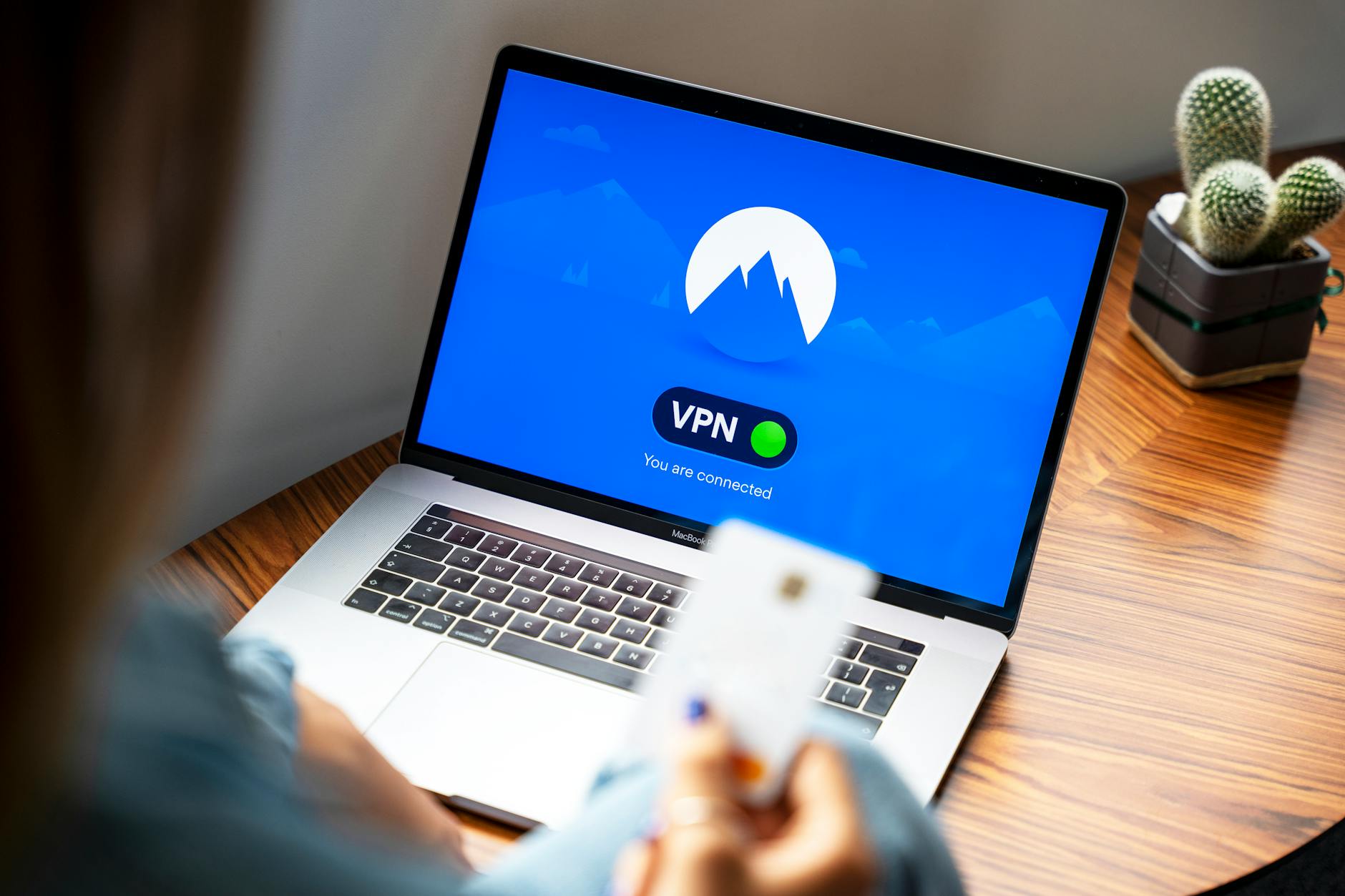
    VPN (Virtual Private Network) usage becomes essential when accessing sensitive resources over untrusted networks. Business-grade VPN solutions provide encrypted tunnels that protect data transmission from interception or modification during transit.

    Implementation for Different Users

    Small business cybersecurity implementation requires balancing security needs with budget constraints and operational efficiency. Most small businesses can achieve significant protection through focused implementation of core security controls rather than expensive enterprise solutions.

    Priority security measures for small businesses include endpoint protection on all computers, regular data backups, email security filtering, and basic network security. These measures address the most common attack vectors without requiring dedicated IT staff or substantial ongoing maintenance.

    Employee training represents the most cost-effective security investment for small businesses. Regular security awareness sessions covering phishing recognition, password security, and social engineering help prevent the human errors that enable most successful attacks. Many cyber security basics for beginners resources provide frameworks for developing effective training programs.

    Cyber insurance provides financial protection against security incidents but requires implementing basic security measures to qualify for coverage. Insurance providers increasingly require specific security controls like MFA, regular backups, and employee training as prerequisites for coverage.

    Key Takeaway: Small businesses achieve optimal security by implementing a focused set of high-impact measures consistently rather than attempting comprehensive enterprise-level security programs that exceed their resources and expertise.

    Cybersecurity Basics for Remote Workers

    Remote work security extends traditional office security perimeters to include home networks, personal devices, and public Wi-Fi access points. This expanded attack surface requires additional security measures beyond traditional office-based protections.

    Home network security becomes a business concern when employees access company resources from personal internet connections. Remote workers should secure their home routers with strong passwords, disable unnecessary services, and separate work devices from personal IoT devices when possible.

    Device security policies must address both company-owned and personal devices used for business purposes. Bring Your Own Device (BYOD) policies should specify minimum security requirements including screen locks, automatic updates, and approved applications for business use.

    Secure communication tools replace in-person meetings and casual conversations with digital alternatives that require protection. Video conferencing security, encrypted messaging, and secure file sharing prevent unauthorized access to business communications and documents.

    The Cybersecurity and Infrastructure Security Agency’s telework guidance provides detailed recommendations for securing remote work environments across different industries and risk levels.

    Home Office Protection

    Home office cybersecurity requires treating personal spaces as business environments from a security perspective. This includes physical security measures alongside digital protections to prevent unauthorized access to sensitive business information.

    Physical security controls include locking computers when unattended, securing printed documents, and preventing unauthorized individuals from observing screens or keyboards during business activities. Home offices should establish clear boundaries around work areas and implement basic access controls.

    Backup strategies become more critical in home offices where IT support may be limited. Automated cloud backups provide off-site protection, while local backup drives offer faster recovery options. The 3-2-1 backup rule (3 copies of data, 2 different media types, 1 off-site) applies equally to home offices and traditional business environments.

    Incident response planning helps home office workers respond effectively to security incidents without immediate IT support. Basic incident response includes identifying who to contact, how to isolate compromised systems, and what information to preserve for investigation.

    Common Mistakes and Cost Considerations

    The most common cybersecurity implementation mistake involves deploying security tools without establishing clear policies and procedures for their use. Technology alone cannot provide effective security without proper configuration, maintenance, and user training.

    Overcomplexity represents another frequent error where organizations implement more security controls than they can effectively manage. Complex security architectures often contain configuration errors or gaps that reduce overall security effectiveness compared to simpler, well-implemented approaches.

    Neglecting user experience during security implementation leads to workarounds that bypass security controls entirely. Security measures must balance protection with usability to ensure consistent adoption and effectiveness over time.

    Inadequate testing of security measures before full deployment can result in business disruptions or ineffective protection. Pilot testing allows organizations to identify issues and optimize configurations before company-wide implementation.

    Budget Planning and Implementation Timeline

    Cybersecurity implementation costs vary significantly based on organization size and risk requirements, but basic protection typically costs 3-8% of total IT budget. Small businesses can achieve substantial security improvements for $1,000-5,000 annually through focused investment in high-impact measures.

    Implementation timeline planning should prioritize quick wins that provide immediate security improvements while building toward more comprehensive long-term protections. Month one typically focuses on password security and basic endpoint protection, month two addresses network security and backups, and month three implements user training and policy development.

    Ongoing operational costs include software licensing, training updates, and periodic security assessments. These recurring expenses often exceed initial implementation costs but provide essential maintenance of security effectiveness over time.

    Return on investment calculations should consider both direct costs avoided through prevention and indirect benefits like regulatory compliance, customer trust, and business continuity. Many organizations find that basic cybersecurity measures pay for themselves through reduced incident response costs and improved operational efficiency.

    Discussions on platforms examining cyber security basics reddit often highlight the cost-effectiveness of focusing on fundamentals rather than expensive advanced solutions for most small and medium-sized organizations.

    Common Implementation Errors

    Configuration errors account for more security failures than technology limitations, particularly in cloud services and network security devices. Default configurations rarely provide optimal security and often contain settings designed for ease of deployment rather than protection.

    Insufficient backup testing leads many organizations to discover backup failures during actual recovery scenarios. Regular restore testing ensures that backup systems function correctly and that recovery procedures work as designed.

    Poor password hygiene continues despite widespread awareness of password security importance. Organizations often implement password policies without providing tools or training that make compliance practical for users.

    Delayed incident response results from unclear escalation procedures and inadequate preparation. Effective incident response requires advance planning, regular testing, and clear communication channels that function during crisis situations.

    The Federal Trade Commission’s cybersecurity guidance emphasizes that small businesses face the same threats as large enterprises but with fewer resources, making efficient implementation of cybersecurity basics particularly critical for their survival.

    Learning Resources and Assessment

    Structured learning approaches help individuals and organizations build cybersecurity knowledge systematically rather than through crisis-driven reactive learning. Effective cybersecurity education combines theoretical understanding with practical hands-on experience.

    Many professionals seek comprehensive cybersecurity basics pdf resources for offline study and reference. Quality educational materials should cover threat landscapes, technical controls, policy development, and incident response procedures. Academic institutions and professional organizations often provide well-structured learning materials that avoid vendor bias.

    Books focusing on cybersecurity fundamentals offer deeper exploration of concepts than typical online articles or training videos. A good cybersecurity basics book should address both technical and management aspects of security, providing frameworks for decision-making rather than just procedural checklists.

    Online training platforms provide interactive learning experiences with hands-on labs and simulated environments. These platforms allow learners to practice security skills without risking production systems or creating real security incidents.

    Self-assessment tools help individuals and organizations evaluate their current security posture and identify areas needing improvement. A cybersecurity basics quiz should cover password security, social engineering recognition, incident response procedures, and basic technical concepts.

    Professional certifications validate cybersecurity knowledge and provide structured learning paths for career development. Entry-level certifications like CompTIA Security+ or SANS GIAC Security Essentials offer comprehensive coverage of cybersecurity basics suitable for beginners.

    Community resources including forums, local meetups, and professional organizations provide opportunities for ongoing learning and knowledge sharing. These communities often offer practical insights and real-world examples that complement formal training materials.

    Regular skills assessment ensures that cybersecurity knowledge remains current as threats and technologies evolve. Annual skills evaluation helps identify knowledge gaps and guide continued professional development efforts.

    Frequently Asked Questions

    What are the most important cybersecurity basics for beginners?

    The five most critical cybersecurity basics include strong password management with unique passwords for each account, enabling multi-factor authentication on all important accounts, keeping software and operating systems updated, implementing regular data backups, and learning to recognize phishing attempts. These fundamentals address the majority of common cyber threats with relatively simple implementation.

    How much should a small business budget for cybersecurity basics?

    Small businesses should allocate 3-8% of their total IT budget to cybersecurity, typically ranging from $1,000 to $5,000 annually for basic protection measures. This investment covers essential tools like endpoint protection, backup solutions, email security, and employee training while providing substantial protection against common threats.

    What cybersecurity mistakes do beginners make most often?

    The most common beginner mistakes include using weak or reused passwords, ignoring software updates, clicking suspicious email links, using unsecured public Wi-Fi for sensitive activities, and failing to backup important data regularly. These errors often result from lack of awareness rather than intentional risk-taking.

    How long does it take to implement basic cybersecurity measures?

    Basic cybersecurity implementation typically requires 1-3 months for complete deployment, with immediate improvements possible within the first week. Password managers and multi-factor authentication can be implemented immediately, while comprehensive policies and training programs require longer development and deployment periods.

    Do I need expensive cybersecurity tools for basic protection?

    Effective cybersecurity basics can be implemented using free or low-cost tools, with many operating systems including built-in security features that provide substantial protection when properly configured. Expensive enterprise tools become necessary only as organizations grow or face specific compliance requirements.

    What cybersecurity basics apply specifically to remote work?

    Remote work cybersecurity basics include securing home Wi-Fi networks with WPA3 encryption, using VPN connections for business access, establishing physical security for home offices, implementing cloud-based backup solutions, and using secure communication tools for business discussions. These measures extend traditional office security to distributed work environments.

    How often should I update my cybersecurity knowledge?

    Cybersecurity knowledge requires quarterly updates to remain current with evolving threats and monthly attention to security news and advisories. The threat landscape changes rapidly, making ongoing education essential for maintaining effective protection against new attack methods and vulnerabilities.

    Can cybersecurity basics prevent all cyber attacks?

    Cybersecurity basics cannot prevent all attacks but significantly reduce risk and impact of most common threats, potentially preventing 80-90% of typical small business security incidents. Advanced persistent threats and targeted attacks may require additional specialized defenses beyond basic measures.

    Related reading: Cybersecurity Basics: Complete 2026 Guide for.

    Related reading: Complete Smartphone Buying Guide: How to.

  • Cybersecurity Basics: Complete 2026 Guide for Beginners

    Cybersecurity Basics: Complete 2026 Guide for Beginners

    Table of Contents


    Cybersecurity basics are the fundamental practices and technologies that protect your digital assets, personal information, and online accounts from unauthorized access, data breaches, and cyber attacks. As our digital lives expand, understanding these core security principles has become as essential as locking your front door.

    Key Takeaways: Cybersecurity basics include strong password management, regular software updates, secure network configurations, and awareness of common threats. These foundational practices prevent 80% of successful cyber attacks when implemented correctly.

    What are cybersecurity basics and why do they matter in 2026?

    Cybersecurity basics encompass the essential protective measures that safeguard digital information and systems from unauthorized access, theft, and damage. These fundamentals form the foundation of any effective security strategy, whether you’re protecting personal data or managing business operations.

    The importance of mastering cyber security basics for beginners has never been more critical. In 2026, cybercriminals launch approximately 4,000 attacks every day, representing a 15% increase from the previous year. The average cost of a data breach has reached $4.88 million globally, with small businesses facing average losses of $108,000 per incident.

    These statistics reflect our increasingly connected world, where remote work, digital payments, and cloud-based services have expanded our attack surface. Every connected device, online account, and digital transaction creates potential entry points for malicious actors. Understanding cybersecurity basics provides the knowledge needed to secure these digital touchpoints effectively.

    The core elements of cybersecurity basics include identity verification through strong authentication, maintaining updated software defenses, securing network communications, and recognizing common attack patterns. These practices work together to create multiple layers of protection, ensuring that if one security measure fails, others remain in place to prevent successful attacks.

    How do passwords and authentication protect your accounts?

    Passwords serve as the primary gatekeeper for your digital accounts, creating a barrier that prevents unauthorized access to your personal information, financial data, and online services. When combined with additional authentication factors, passwords form a robust defense against account takeovers and identity theft.

    Weak or stolen passwords account for 81% of data breaches according to Verizon’s 2026 Data Breach Investigations Report. This statistic underscores why password security represents the most critical element of personal cybersecurity. Cybercriminals use automated tools that can test millions of password combinations per second, making weak passwords vulnerable to brute force attacks within minutes.

    Effective password protection goes beyond choosing strong passwords. It includes using unique passwords for each account, storing passwords securely, and recognizing when passwords may have been compromised. Password managers have become essential tools, with adoption rates reaching 34% among consumers in 2026, representing a significant increase as users recognize the impossibility of manually managing dozens of unique, complex passwords.

    The authentication process also extends beyond passwords to include behavioral analysis, device recognition, and biometric verification. Modern authentication systems analyze login patterns, geographical locations, and device characteristics to identify potentially fraudulent access attempts, even when the correct password is used.

    What makes a password truly secure?

    A truly secure password combines sufficient length, character complexity, and complete uniqueness across all accounts. Research demonstrates that password length provides more security value than complexity alone, with 12-character passwords offering exponentially better protection than 8-character alternatives.

    1. Use minimum 12 characters: Length creates exponential security gains. A 12-character password requires trillions of years to crack using current technology, while an 8-character password can be broken in hours.

    2. Include character variety: Combine uppercase letters, lowercase letters, numbers, and symbols. This expands the possible character combinations from 26 to over 90 options per position.

    3. Ensure complete uniqueness: Never reuse passwords across accounts. When one account is compromised, unique passwords prevent credential stuffing attacks that target multiple accounts.

    4. Avoid personal information: Names, birthdays, addresses, and other personally identifiable information make passwords vulnerable to targeted attacks using publicly available data.

    5. Consider passphrases: Four random words create memorable yet secure passwords. “Horse-Battery-Staple-Correct” provides better security than “P@ssw0rd1” while being easier to remember.

    6. Implement password managers: These tools generate, store, and automatically fill unique passwords for every account. Leading password managers report that users who adopt their services average 87 unique passwords compared to 5 for manual password management.

    When should you use two-factor authentication?

    Two-factor authentication (2FA) should be enabled on all accounts containing sensitive information, financial data, or personal communications. This additional security layer reduces account takeover risk by 99.9% according to Microsoft’s security research.

    Essential 2FA applications include:

    • Email accounts: Your email serves as the recovery mechanism for most other accounts, making it a high-value target
    • Financial services: Banking, investment, and payment platforms require maximum protection due to direct financial risk
    • Work-related accounts: Professional email, cloud storage, and business applications often contain confidential information
    • Social media platforms: These accounts contain personal information and can be used for social engineering attacks
    • Cloud storage services: Documents, photos, and backup files stored in the cloud need protection from unauthorized access
    • Shopping and subscription services: Accounts with saved payment methods or subscription billing require 2FA protection

    Key Takeaway: Enable 2FA on any account you wouldn’t want a stranger to access, prioritizing email and financial accounts first.

    Which software updates and patches are most critical?

    Operating system security patches and web browser updates represent the most critical software updates, as these components face constant exposure to internet-based attacks. Delaying these updates leaves known vulnerabilities exposed that cybercriminals actively exploit.

    Approximately 60% of successful cyberattacks exploit known vulnerabilities that have available patches, according to Cybersecurity and Infrastructure Security Agency data. This statistic reveals that many breaches are entirely preventable through timely updates.

    Priority software updates include:

    • Operating system patches: Windows, macOS, and Linux security updates address fundamental system vulnerabilities that affect all applications
    • Web browser security updates: Chrome, Firefox, Safari, and Edge updates patch vulnerabilities in the most internet-exposed software
    • Antivirus software updates: Security software requires current threat definitions to detect new malware variants
    • Router firmware updates: Home network equipment updates address wireless security vulnerabilities and network attack vectors
    • Mobile device updates: Smartphone and tablet updates patch vulnerabilities in increasingly targeted mobile platforms
    • Business application patches: Email clients, productivity software, and industry-specific applications need regular security updates

    Automatic updates provide the most reliable protection for non-technical users. Enable automatic installation for security patches while maintaining manual control over major feature updates that might disrupt workflows.

    How can remote workers secure their home office setup?

    Remote workers face unique security challenges because home networks lack enterprise-grade protections, personal devices mix work and personal use, and physical security controls are reduced. The primary mitigation strategies focus on network security, device management, and secure communication practices.

    Remote work has fundamentally changed the cybersecurity landscape. In 2026, 42% of the workforce operates remotely at least part-time, creating millions of new network endpoints outside traditional corporate security perimeters. Home-based workers experience 238% more security incidents than office-based employees, primarily due to unsecured home networks and personal device vulnerabilities.

    The core security challenges include unsecured wireless networks, outdated router firmware, mixed personal and professional device usage, and reduced IT support availability. Additionally, home workers often lack awareness of physical security risks, such as screen shoulder-surfing, unsecured document storage, and inadequate device locking practices.

    Successful remote work security requires implementing enterprise-like controls in home environments. This includes network segmentation, endpoint protection, encrypted communications, and regular security awareness training. National Institute of Standards and Technology guidelines recommend treating home offices as extensions of corporate networks rather than separate environments.

    What router security settings should you change immediately?

    Default router configurations contain multiple security vulnerabilities that require immediate modification to prevent unauthorized network access and data interception. Studies show that 83% of home routers still use default administrative passwords, creating massive security gaps.

    1. Change default administrator credentials: Replace “admin/admin” or “admin/password” with unique, complex login credentials to prevent unauthorized router configuration changes.

    2. Update router firmware: Download and install the latest firmware version to patch known security vulnerabilities and improve wireless security protocols.

    3. Enable WPA3 encryption: Upgrade from WPA2 to WPA3 wireless security when available, or ensure WPA2-AES encryption is active rather than older WEP or open networks.

    4. Disable WPS (Wi-Fi Protected Setup): This convenience feature contains security flaws that allow relatively easy password cracking through brute force attacks.

    5. Change default network name (SSID): Generic network names like “Linksys” or “NETGEAR” advertise router models to potential attackers who can research specific vulnerabilities.

    6. Enable network firewall: Activate built-in firewall features to block unwanted incoming connections and monitor outbound traffic for suspicious activity.

    7. Disable remote management: Turn off remote administration features unless absolutely necessary, and use VPN access instead of direct internet exposure.

    8. Create guest networks: Isolate visitor devices from your main network to prevent potential malware spread from compromised guest devices.

    How do you secure video calls and file sharing?

    Video call security requires using platforms with end-to-end encryption, implementing meeting access controls, and following secure screen sharing practices. File sharing security depends on encryption, access permissions, and secure transfer protocols.

    Video call security measures include:

    • Choose encrypted platforms: Use video conferencing services that offer end-to-end encryption for sensitive business discussions
    • Enable waiting rooms: Require host approval for meeting entry to prevent unauthorized participants
    • Use meeting passwords: Add password protection for all scheduled meetings, especially those with sensitive agendas
    • Disable recording by participants: Control recording permissions to prevent unauthorized meeting documentation
    • Screen sharing restrictions: Only share specific applications rather than entire screens to avoid exposing sensitive information

    Secure file sharing practices include:

    • Encrypted file transfer: Use services that encrypt files during transmission and storage, rather than email attachments
    • Access expiration: Set automatic expiration dates for shared file links to limit exposure windows
    • Download limitations: Restrict the number of downloads and require authentication for sensitive documents
    • Version control: Use platforms that track file versions and access logs for audit purposes
    • Local file cleanup: Remove sensitive files from local devices after sharing to prevent data persistence

    Key Takeaway: Treat video calls and file sharing with the same security considerations as in-person meetings and physical document handling.

    What cybersecurity basics do small business owners need on a budget?

    Small businesses can achieve significant security improvements through free and low-cost solutions that focus on employee training, basic access controls, and automated backup systems. The key is prioritizing security measures that provide maximum protection per dollar invested.

    Small businesses face disproportionate cybersecurity risks due to limited IT resources and budgets. The average small business security breach costs $108,000, while comprehensive security solutions require annual investments of $3,000-15,000. However, implementing basic security measures reduces breach risk by up to 80% at minimal cost.

    Budget-friendly security priorities deliver the highest return on investment:

    1. Employee security training ($200-500 annually): Human error causes 95% of successful attacks. Monthly security awareness training prevents phishing, social engineering, and password-related breaches.

    2. Business-grade password manager ($3-8 per user monthly): Centralized password management eliminates weak passwords and enables secure password sharing among team members.

    3. Automated backup solution ($50-200 monthly): Cloud-based backups protect against ransomware and hardware failures while ensuring business continuity.

    4. Multi-factor authentication (often free): Enable 2FA on all business accounts, starting with email, banking, and cloud services that offer free MFA options.

    5. Endpoint protection software ($30-60 per device annually): Business antivirus solutions provide centralized management and reporting compared to consumer alternatives.

    6. Network monitoring tools ($100-300 monthly): Basic network monitoring identifies unusual traffic patterns and potential intrusions before data theft occurs.

    7. Cyber insurance evaluation ($500-2,000 annually): Insurance coverage provides financial protection and often includes incident response services that exceed policy costs.

    Data Highlight: Small businesses that implement these seven basic measures experience 67% fewer security incidents compared to businesses relying solely on consumer-grade protections.

    How can parents protect children from online threats?

    Parents can protect children online through age-appropriate privacy settings, parental control software, and ongoing digital literacy education that teaches safe internet practices. The most effective approach combines technical controls with open communication about online risks and appropriate responses.

    Children face unique online threats including cyberbullying, inappropriate content exposure, predator contact, and privacy violations. In 2026, 89% of children aged 10-17 have experienced at least one negative online interaction, while 34% report sharing personal information with strangers through gaming or social media platforms.

    Essential parental protection measures include:

    • Age-appropriate social media settings: Review and configure privacy settings on platforms your children use, limiting public visibility and stranger contact
    • Content filtering software: Install family-safe DNS services or router-level filtering to block inappropriate websites automatically
    • Screen time management: Use built-in parental controls on devices to limit usage hours and app access based on age and maturity
    • Gaming safety controls: Configure gaming platforms to disable voice chat with strangers and limit in-game purchases
    • Educational conversations: Regularly discuss online safety, including how to recognize and report inappropriate contact or content
    • Device-free zones: Establish areas and times where devices are not permitted to encourage offline activities and family interaction
    • Regular account monitoring: Periodically review your children’s online accounts and activities to identify potential safety concerns

    The Federal Trade Commission’s guidance on children’s online privacy emphasizes that parental involvement and education provide more effective protection than technical controls alone.

    What are the simplest cybersecurity steps for seniors and non-tech users?

    Seniors and non-technical users can achieve significant security improvements through automatic updates, simplified password management, and recognizing common scam patterns. The focus should be on solutions that work automatically rather than requiring complex technical knowledge.

    Seniors face elevated cybersecurity risks due to targeted scamming, limited technical experience, and higher rates of social engineering attacks. The FBI reports that adults over 60 lost $1.7 billion to cybercrime in 2026, representing 35% of all reported losses despite being 23% of the population.

    Simplified security steps provide maximum protection with minimal complexity:

    1. Enable automatic updates everywhere: Turn on automatic updates for computers, phones, tablets, and all installed software to maintain current security patches without manual intervention.

    2. Use device-built-in password managers: Modern smartphones and computers include password managers that work automatically without learning new software.

    3. Verify requests independently: When receiving calls, emails, or texts requesting personal information, hang up and call the organization directly using official phone numbers.

    4. Avoid public Wi-Fi for sensitive activities: Never access banking, shopping, or personal accounts while connected to coffee shop, library, or hotel Wi-Fi networks.

    5. Trust caller ID skeptically: Phone numbers can be spoofed easily, so verify caller identity through independent methods rather than trusting displayed numbers.

    6. Keep software simple: Avoid installing unnecessary programs, browser toolbars, or apps that increase complexity and potential vulnerability.

    7. Create offline backups: Save important documents and photos to physical storage devices that disconnect from the internet to prevent ransomware encryption.

    8. Establish trusted tech support: Identify reliable family members or local services for technical help rather than accepting assistance from cold callers or pop-up advertisements.

    Key Takeaway: Simple, automatic security measures provide seniors with robust protection without requiring ongoing technical management or complex decision-making.

    Frequently Asked Questions

    Are there reliable cybersecurity basics pdf resources available?

    Several authoritative organizations provide comprehensive cybersecurity basics pdf guides for different audiences. The Cybersecurity and Infrastructure Security Agency (CISA) offers free downloadable guides covering personal and business security fundamentals. The National Institute of Standards and Technology (NIST) publishes detailed cybersecurity frameworks in PDF format. Additionally, many cybersecurity training organizations provide introductory guides that cover password security, software updates, and threat recognition.

    What cybersecurity basics book would you recommend for beginners?

    For comprehensive cybersecurity education, “Cybersecurity for Beginners” by Raef Meeuwisse provides practical, non-technical guidance covering all fundamental security concepts. “The Art of Invisibility” by Kevin Mitnick offers real-world privacy and security strategies. “Cybersecurity Basics: A Hands-on Approach” by Carlos Solari combines theoretical knowledge with practical exercises. These cybersecurity basics book recommendations focus on actionable advice rather than complex technical theory.

    How can I test my cybersecurity knowledge with a cybersecurity basics quiz?

    Multiple organizations offer cybersecurity basics quiz options for self-assessment. The SANS Institute provides free online quizzes covering password security, phishing recognition, and safe browsing practices. Many cybersecurity training platforms include interactive quizzes as part of their free introductory courses. Additionally, several cybersecurity awareness companies offer brief assessments that help identify knowledge gaps in fundamental security practices.

    What do cybersecurity basics reddit communities recommend for beginners?

    The cybersecurity basics reddit community consistently recommends starting with password managers, enabling two-factor authentication, and maintaining current software updates as the foundational security practices. Popular subreddits like r/cybersecurity and r/netsec emphasize that these basic measures prevent the majority of common attacks. Reddit users frequently suggest combining technical controls with ongoing education about social engineering and phishing tactics.

    How often should I review and update my cybersecurity basics practices?

    Cybersecurity practices require quarterly reviews to address new threats and technology changes. Review password security every three months, checking for compromised accounts and updating any weak passwords. Evaluate software update practices monthly to ensure automatic updates are functioning correctly. Annual reviews should cover overall security posture, including backup systems, privacy settings, and family or business security policies. The cybersecurity landscape evolves rapidly, making regular assessment essential for maintaining effective protection.

    Related reading: Complete Smartphone Buying Guide: How to.

    Related reading: Home Network Security: Complete Guide to.

  • Complete Smartphone Buying Guide 2026 – Expert Tips

    Complete Smartphone Buying Guide 2026 – Expert Tips

    Table of Contents


    Choosing the right smartphone in 2026 involves evaluating your specific needs, budget constraints, and intended use cases while navigating an increasingly complex landscape of features and specifications. The smartphone market has matured significantly, offering everything from budget-friendly devices under $300 to specialized flagships designed for photographers, gamers, and business users.

    Key Takeaways: Modern smartphone selection depends primarily on matching device capabilities to your specific use case rather than simply choosing the most expensive option. Budget phones now offer 90% of flagship functionality for everyday users, while specialized devices excel in gaming, photography, or accessibility features.

    Understanding Your Smartphone Needs

    The most critical step in any smartphone buying guide is honestly assessing how you actually use your device rather than what features sound impressive. Most users fall into predictable usage patterns that directly correlate to optimal device categories.

    Evaluate your primary activities: basic communication (calls, texts, email), social media consumption, photography frequency, gaming intensity, work applications, and media consumption habits. Users who primarily communicate and browse social media can achieve excellent experiences with budget devices, while content creators require flagship camera systems and processing power.

    Battery life expectations vary dramatically based on usage patterns. Light users easily achieve 2-3 days on mid-range devices, while heavy users streaming video and gaming may need flagship batteries or consider devices with fast charging capabilities.

    Consider your upgrade cycle preferences. Users who upgrade every 2-3 years can justify flagship purchases, while those keeping devices for 4-5 years should prioritize build quality and long-term software support over cutting-edge features.

    Quick Reference: Usage Pattern Assessment

    • Light User: Calls, texts, basic apps, occasional photos
    • Moderate User: Social media, streaming, regular photography, productivity apps
    • Heavy User: Gaming, video editing, professional photography, multitasking
    • Specialized User: Specific requirements like accessibility, extreme durability, or professional tools

    Budget Categories and What to Expect

    Smartphone pricing in 2026 follows predictable tiers with distinct capability boundaries that directly impact user experience. Understanding these categories prevents both overspending and disappointing purchases.

    Budget Smartphones Under $300

    Budget smartphones now deliver flagship-quality experiences for basic to moderate usage patterns. These devices typically feature 6-8GB RAM, 128-256GB storage, adequate cameras for social media, and full-day battery life.

    Expect compromises in camera quality during low-light conditions, slower charging speeds, and reduced gaming performance. However, for users prioritizing communication, social media, and basic productivity, these limitations rarely impact daily satisfaction.

    Top budget considerations include software update commitments, build quality, and brand reliability. Some manufacturers offer 3-4 years of updates even on budget devices, significantly extending useful lifespan.

    Mid-Range Smartphones $300-$700

    Mid-range devices represent the optimal value proposition for most users, offering 80-90% of flagship performance at significantly lower prices. These smartphones typically include flagship processors from previous generations, excellent cameras, and premium build materials.

    Key advantages include improved low-light photography, faster charging, better displays, and enhanced gaming performance. Many mid-range devices now include features like wireless charging, water resistance, and high refresh rate displays.

    Consider mid-range options if you want flagship features without premium pricing or plan to keep your device for 3-4 years.

    Flagship Smartphones $700+

    Flagship smartphones justify their premium pricing through cutting-edge cameras, maximum performance, and exclusive features unavailable in lower tiers. These devices target users with specific professional needs or those wanting the absolute best technology.

    Flagship advantages include superior computational photography, professional video capabilities, maximum gaming performance, and longest software support commitments. Premium materials, advanced biometrics, and exclusive software features also differentiate these devices.

    Key Takeaway: Budget devices satisfy 85% of users’ needs, mid-range devices offer optimal value for enthusiasts, and flagships serve users with specific professional requirements or unlimited budgets.

    Best Smartphone 2026 by Category

    The best mobile phone 2026 varies dramatically based on specific use cases rather than universal rankings. Modern smartphones excel in different areas, making category-specific recommendations more valuable than generic “best” lists.

    Top 5 Best Phone in the World for Overall Value

    Device Pros Cons Best For
    Google Pixel 8a Excellent cameras, pure Android, 7-year updates Limited gaming performance Photography enthusiasts on budget
    Samsung Galaxy S24 Balanced performance, great display, S Pen support Premium pricing Power users wanting versatility
    iPhone 15 Ecosystem integration, premium build, resale value Limited customization, higher cost iOS users, long-term ownership
    OnePlus 12R Fast performance, excellent battery, competitive pricing Average cameras, shorter update cycle Performance-focused users
    Motorola Edge 50 Clean software, good value, solid build quality Limited availability, average cameras Users wanting near-stock Android

    Top 10 Android Phones Breakdown

    Android’s diversity allows specialized devices targeting specific user needs more effectively than iOS alternatives. The top 10 best phone in the world 2026 Android category spans budget champions to flagship powerhouses.

    Budget Android leaders include Google Pixel 8a and Samsung Galaxy A55, offering flagship-caliber cameras and software experiences. Mid-range standouts feature OnePlus 12R and Nothing Phone (2a) with unique design elements and solid performance.

    Flagship Android options include Samsung Galaxy S24 Ultra for productivity, Google Pixel 8 Pro for computational photography, and specialized gaming phones like ASUS ROG Phone 8.

    According to recent market analysis from Statista’s smartphone market research, Android maintains approximately 70% global market share, with Samsung and Google leading premium Android segments.

    Top 10 Best Phone in the World 2026 All Categories

    Universal smartphone rankings must balance diverse user needs, regional availability, and price-to-performance ratios across all platforms. The most comprehensive rankings consider ecosystem preferences, budget constraints, and specific use cases.

    Flagship leaders include iPhone 15 Pro for iOS users, Samsung Galaxy S24 Ultra for Android productivity, and Google Pixel 8 Pro for photography. Mid-range champions feature iPhone 15 base model, OnePlus 12R, and Samsung Galaxy S24 standard edition.

    Budget category winners include Google Pixel 8a, Samsung Galaxy A55, and Motorola Edge 50, each offering distinct advantages in cameras, software, or value proposition.

    Key Specifications Explained

    Understanding smartphone specifications requires focusing on real-world impact rather than raw numbers, as marketing often emphasizes metrics with minimal user experience correlation. Modern smartphone performance depends more on optimization than peak specifications.

    Processor and Performance

    Smartphone processors in 2026 deliver flagship-quality performance even in mid-range devices, making processor selection less critical for most users. Current generation mid-range chips easily handle demanding games, video editing, and multitasking.

    Focus on processor efficiency rather than peak performance, as battery life and thermal management impact daily experience more than benchmark scores. Apple’s A-series chips maintain efficiency advantages, while Snapdragon and MediaTek options offer excellent Android performance.

    Consider processor age rather than tier – a previous-generation flagship chip often outperforms current-generation mid-range options while maintaining better long-term support.

    Camera Systems

    Camera quality depends more on computational photography and software optimization than megapixel counts or lens quantities. Google and Apple lead computational photography, while Samsung offers versatile lens systems.

    Prioritize main camera quality over multiple lenses unless you specifically use ultra-wide or telephoto options. Most users achieve better results from excellent main cameras than mediocre multi-lens systems.

    Night mode capabilities vary significantly between brands, with Google Pixel devices generally leading low-light performance across price ranges.

    Display Technology

    Display quality impacts daily smartphone satisfaction more than most other specifications, making it worthy of careful consideration. OLED displays offer superior contrast and battery efficiency, while high refresh rates improve scrolling smoothness.

    Consider display size preferences carefully, as larger screens improve media consumption but reduce one-handed usability. Screen resolution above 1080p provides minimal benefits on smartphone-sized displays.

    Brightness specifications matter for outdoor visibility, with flagship devices typically offering 1000+ nits peak brightness compared to 600-800 nits on budget options.

    Battery and Charging

    Battery capacity alone doesn’t determine battery life, as display efficiency, processor optimization, and software management play equally important roles. iPhones often achieve similar battery life to Android devices with smaller battery capacities.

    Fast charging speeds vary dramatically, with some Android devices supporting 100W+ charging while iPhones typically max out around 20-25W. Consider your charging habits when evaluating charging speed importance.

    Wireless charging convenience varies by lifestyle, offering significant value for desk workers but limited benefit for users charging overnight.

    Key Takeaway: Specifications serve user needs rather than creating them – focus on features that enhance your specific usage patterns rather than impressive-sounding numbers.

    Android vs iOS Decision Framework

    The Android versus iOS decision framework in 2026 centers on ecosystem preferences, customization needs, and specific app requirements rather than technical superiority. Both platforms offer mature, capable experiences with distinct philosophical approaches.

    iOS Advantages and Considerations

    iOS provides seamless ecosystem integration, extended software support, and consistent user experience across devices. iPhones typically receive 5-6 years of major updates, ensuring long-term device viability.

    iOS excels in privacy controls, app quality consistency, and integration with other Apple devices. The App Store’s stricter approval process generally results in higher-quality applications with better security practices.

    Consider iOS limitations including higher device costs, limited customization options, and restricted file management compared to Android alternatives.

    Android Strengths and Trade-offs

    Android offers superior customization flexibility, diverse hardware options, and typically lower entry costs across all price segments. The platform supports multiple manufacturers, enabling specialized devices for specific needs.

    Android advantages include alternative app stores, extensive personalization options, and better integration with non-Google services. File management resembles traditional computers more than iOS’s sandboxed approach.

    Android considerations include variable update policies between manufacturers, potential security risks from unknown sources, and occasional app quality inconsistencies.

    Decision Factors

    Choose iOS if you prioritize ecosystem integration, simplified experience, and long-term software support with minimal configuration needs. iOS suits users wanting consistent, polished experiences without customization requirements.

    Select Android if you value customization flexibility, hardware variety, or specific features unavailable on iOS devices. Android better serves users with technical knowledge who enjoy personalizing their devices.

    Consider existing device ecosystems, as switching platforms involves relearning workflows and potentially repurchasing applications.

    Smartphone Buying Guide for Special Use Cases

    Specialized smartphone requirements demand targeted device selection rather than general-purpose recommendations, as specific use cases often prioritize different features. Understanding these specialized needs prevents costly mistakes and ensures optimal user experience.

    Smartphone Buying Guide for Seniors

    Senior smartphone users benefit most from simplified interfaces, accessibility features, and reliable customer support rather than cutting-edge technology. Prioritize ease of use over advanced capabilities.

    Key senior-friendly features include large, clear displays, simplified launchers, emergency features, and excellent customer support. Consider devices with physical home buttons or clear navigation patterns.

    iPhones generally offer superior accessibility features and family sharing options, while Android devices provide more customization for vision or hearing impairments. Samsung’s Easy Mode and Google’s accessibility features significantly improve senior user experience.

    Recommended senior devices include iPhone 15 for simplicity, Samsung Galaxy S24 with Easy Mode, and Google Pixel 8a for voice assistant capabilities.

    Photography and Content Creation

    Content creators require flagship camera systems, ample storage, and robust video capabilities rather than balanced specifications. Professional content creation pushes smartphone cameras to their limits.

    Prioritize devices with excellent computational photography, multiple lens options, and professional video features. Google Pixel 8 Pro leads computational photography, while iPhone 15 Pro offers superior video capabilities.

    Consider storage requirements carefully, as 4K video recording quickly fills device storage. Cloud storage integration and fast transfer capabilities become essential for content creators.

    Essential creator features include manual camera controls, RAW photo support, 4K video recording, and color accuracy for editing workflows.

    Gaming Performance

    Mobile gaming demands sustained performance, efficient cooling, and responsive displays rather than peak benchmark scores. Gaming smartphones prioritize thermal management and consistent frame rates.

    Look for devices with vapor chamber cooling, high refresh rate displays, and gaming-specific features like dedicated gaming modes. ASUS ROG Phone series and RedMagic devices offer specialized gaming features.

    Consider battery life under gaming loads, as intensive games drain batteries significantly faster than typical usage. Fast charging becomes essential for gaming-focused users.

    iPhones generally offer consistent gaming performance due to optimized hardware-software integration, while Android gaming phones provide specialized features like trigger buttons and advanced cooling.

    Business and Professional Use

    Business smartphone users prioritize security features, productivity applications, and seamless integration with enterprise systems. Professional use often involves specific software requirements and security compliance.

    Essential business features include strong encryption, enterprise app support, Microsoft Office integration, and reliable email handling. Samsung Galaxy devices offer extensive business features, while iPhones provide excellent enterprise integration.

    Consider expense management features, dual SIM capabilities for travel, and compatibility with corporate IT policies when selecting business devices.

    Key Takeaway: Specialized use cases often justify premium device features that provide minimal benefit for general users, making targeted selection crucial for satisfaction and productivity.

    New vs Refurbished Smartphone Considerations

    Refurbished smartphones offer significant cost savings with minimal risk when purchased from reputable sources, making them excellent options for budget-conscious buyers. Understanding refurbishment quality standards prevents disappointing purchases.

    Refurbished Smartphone Advantages

    High-quality refurbished devices provide 70-80% cost savings compared to new flagships while offering nearly identical user experiences. Certified refurbishment programs replace batteries, screens, and other wear components.

    Refurbished flagships often outperform new budget devices while costing similar amounts. A refurbished iPhone 14 Pro typically offers superior cameras and performance compared to new budget alternatives.

    Environmental benefits include reduced electronic waste and lower manufacturing demand, appealing to environmentally conscious consumers.

    Refurbishment Risk Factors

    Refurbished smartphone risks include shorter warranty periods, potential cosmetic imperfections, and unknown usage history. However, reputable sellers mitigate most risks through quality control processes.

    Avoid refurbished devices from unknown sellers or those lacking warranty coverage. Stick to manufacturer refurbishment programs, carrier certified pre-owned devices, or established retailers with return policies.

    Consider battery health specifically, as battery degradation represents the primary long-term risk with refurbished devices. Quality refurbishment programs replace batteries preventively.

    New Device Benefits

    New smartphones provide maximum longevity, full warranty coverage, and latest features unavailable in refurbished alternatives. New devices also avoid potential compatibility issues with current accessories.

    New device advantages include full manufacturer warranty, latest software versions, pristine condition, and maximum resale value. For users keeping devices 4+ years, new purchases often provide better total cost of ownership.

    Consider new devices when specific features like latest cameras or newest processors provide significant benefits for your use case.

    Decision Framework

    Choose refurbished devices when seeking flagship features at budget prices, especially for users upgrading every 2-3 years. Refurbished options work particularly well for secondary devices or children’s phones.

    Select new devices when prioritizing maximum longevity, specific latest features, or full warranty coverage. New purchases make sense for heavy users or those keeping devices long-term.

    Research from Consumer Reports’ electronics reliability studies indicates properly refurbished devices achieve similar reliability to new products when sourced from certified programs.

    Where and When to Buy

    Strategic smartphone purchasing timing and vendor selection can save hundreds of dollars while ensuring optimal device selection and customer service. Understanding market cycles and vendor advantages optimizes both price and experience.

    Best Times to Buy Smartphones

    Smartphone prices follow predictable patterns based on release cycles, seasonal demand, and inventory management. Strategic timing significantly impacts pricing without compromising device selection.

    Optimal purchase times include post-holiday clearance (January-February), back-to-school promotions (August-September), and immediately following new flagship releases when previous generation devices receive discounts.

    Avoid purchasing immediately before known release dates, as new devices often trigger price drops on existing inventory. Black Friday and Cyber Monday offer genuine discounts, particularly for older flagship models.

    Carrier vs Unlocked Purchasing

    Unlocked smartphones provide maximum flexibility and often better long-term value despite higher upfront costs. Carrier-locked devices offer financing convenience but limit network flexibility.

    Carrier advantages include device financing, trade-in programs, and bundled service discounts. However, carrier devices often include bloatware and receive slower software updates compared to unlocked alternatives.

    Unlocked benefits include freedom to switch carriers, faster software updates, cleaner software experiences, and better resale values. Consider unlocked purchases unless carrier financing is essential.

    Retailer Selection

    Retailer choice impacts pricing, warranty service, and return policies significantly, making vendor selection as important as device choice. Different retailers excel in different areas.

    Manufacturer direct purchases often provide best customer service and fastest software updates. Apple and Google stores offer excellent support, while Samsung provides comprehensive online purchasing options.

    Major retailers like Best Buy offer price matching, extended warranties, and convenient returns. Online retailers may offer better pricing but provide limited hands-on support.

    Consider authorized retailers only, as unauthorized sellers may offer devices with modified software or limited warranty coverage.

    Frequently Asked Questions

    How often should I replace my smartphone?

    Most users should replace smartphones every 3-4 years for optimal balance between performance and cost-effectiveness. Modern devices easily last this duration with proper care, while longer periods may result in security vulnerabilities or compatibility issues.

    Replace sooner if battery life becomes inadequate, performance significantly degrades, or security updates cease. Consider extending usage if the device meets current needs and receives regular security patches.

    What’s the minimum storage I should consider?

    128GB represents the practical minimum storage for modern smartphone usage, while 256GB provides comfortable headroom for most users. Storage requirements depend heavily on photo habits, app usage, and local media storage preferences.

    Heavy photographers, mobile gamers, or users storing significant offline content should consider 512GB+ options. Cloud storage can supplement device storage but requires reliable internet connectivity.

    Are expensive smartphones worth the extra cost?

    Expensive smartphones justify their cost for users requiring specific flagship features like professional cameras, maximum performance, or longest software support. For basic to moderate usage, mid-range devices provide 90% of flagship functionality at 50% of the cost.

    Consider total cost of ownership including resale value, as flagship devices typically retain value better than budget alternatives.

    Should I buy smartphone insurance?

    Smartphone insurance provides peace of mind for costly devices but often costs more than self-insurance for budget-conscious users. Calculate insurance costs over typical ownership periods compared to device replacement costs.

    Insurance makes sense for expensive devices, accident-prone users, or those unable to afford immediate replacement. Skip insurance for budget devices or users with emergency funds.

    Can I use any smartphone with any carrier?

    Unlocked smartphones work with most carriers, but verify specific network compatibility before purchasing. Different carriers use various network technologies and frequency bands.

    Check carrier compatibility tools or contact carriers directly to confirm device support. Some features like Wi-Fi calling or visual voicemail may require carrier-specific software.

    How important are smartphone cameras for most users?

    Modern smartphone cameras satisfy most users’ photography needs, with differences primarily affecting enthusiasts and professional content creators. Even budget devices now capture excellent photos in good lighting conditions.

    Prioritize camera quality if photography represents a primary smartphone use case. Otherwise, focus budget on other features like battery life, performance, or build quality.

    What should I look for in a smartphone buying guide quiz?

    Effective smartphone recommendation quizzes focus on usage patterns, budget constraints, and specific feature priorities rather than demographic information. Quality quizzes ask about actual usage behaviors and technical preferences.

    Look for quizzes that inquire about photography frequency, gaming habits, budget flexibility, ecosystem preferences, and specific feature requirements. Avoid quizzes making recommendations based solely on age, occupation, or generic lifestyle questions.

    Further reading: See IEEE Spectrum, and Ars Technica tech policy.

    Related reading: Complete Smartphone Buying Guide: How to.

    Related reading: Which Google Pixel Phone Is Best.